Edit or withdraw a bid
Change your price or message, or take your bid back, while the job is still open.
- Who it's for
- Providers.
- What you need first
- A bid that hasn't been accepted, on a job that's still open.
- Time needed
- About 1 minute
Steps
Screenshots show the website with demo data. The CouthActs apps work the same way; differences are under “On the app”.
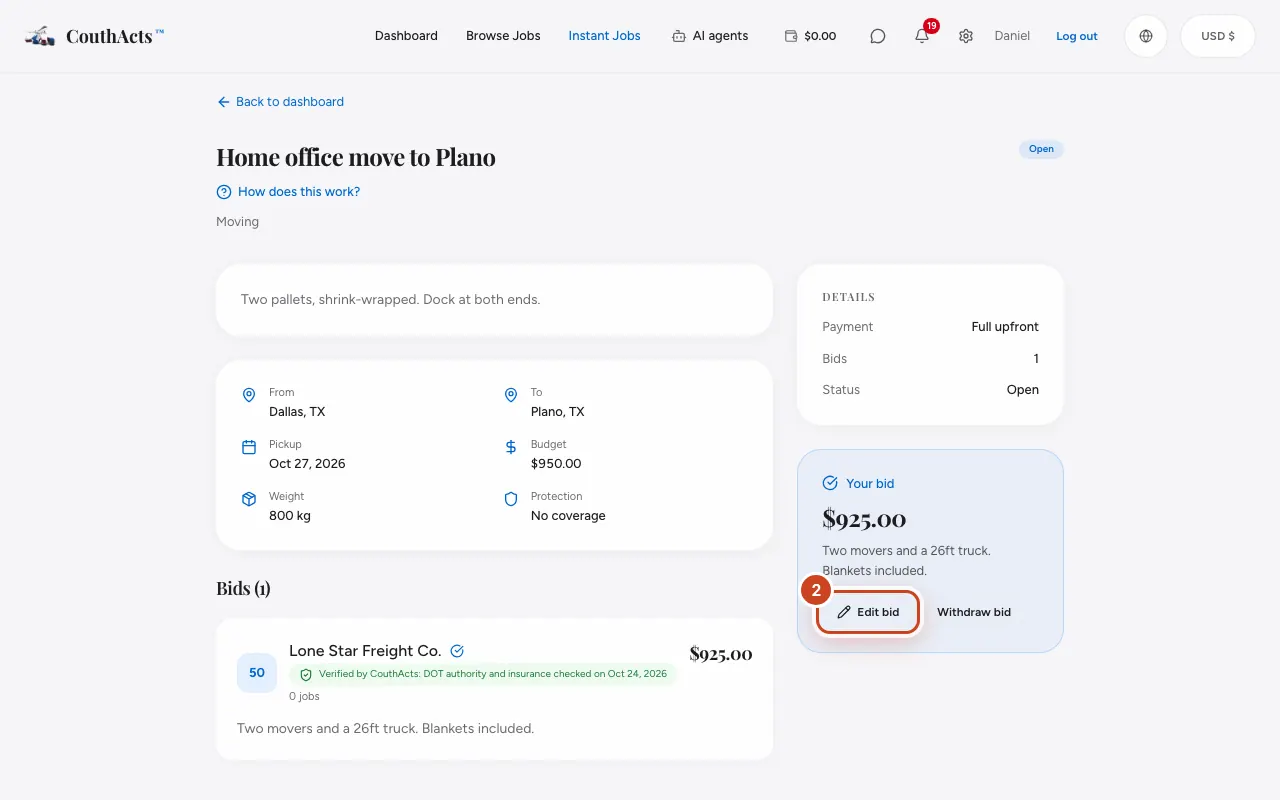
Step 1: Open the job you bid on. Your bid shows under Your bid.
Step 2: To change it, select Edit bid, update the price or message and select Save changes.
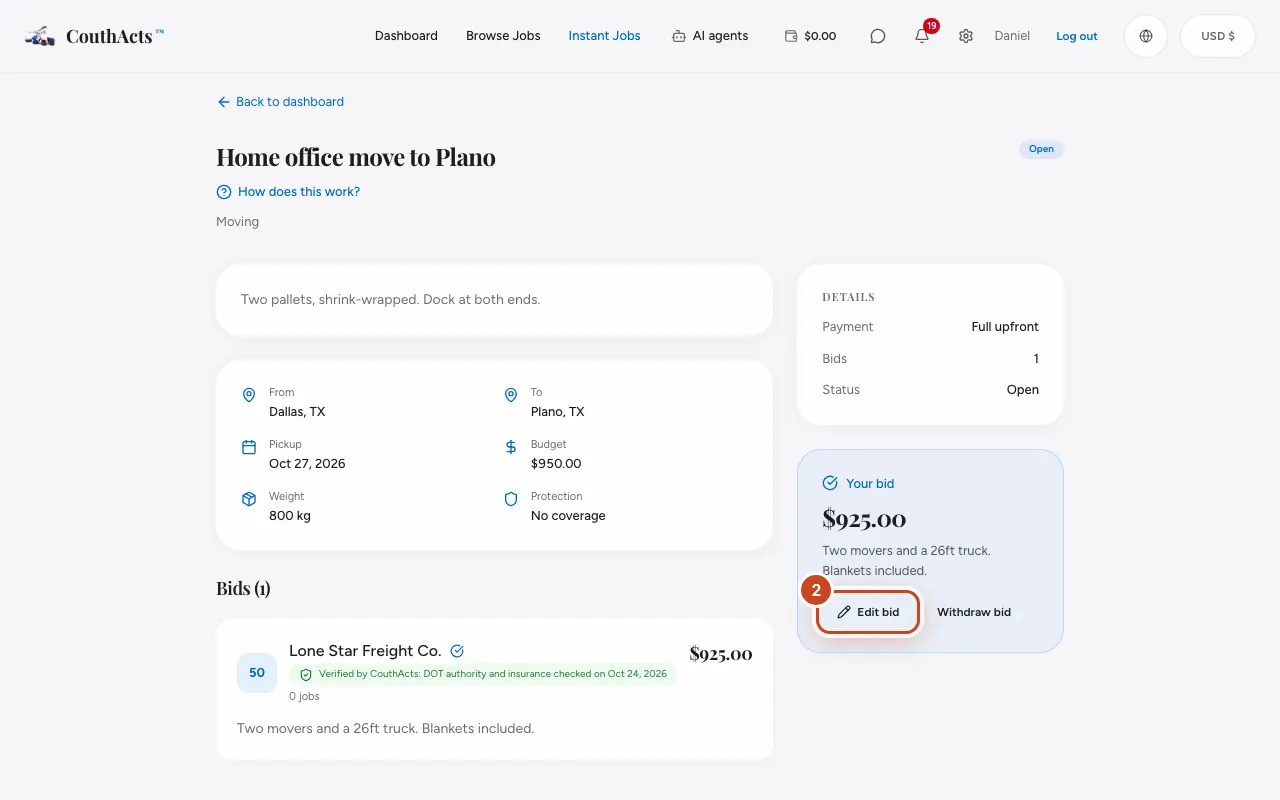
Step 3: To take it back, select Withdraw bid.
Step 4: Confirm with Withdraw.
What happens next
An edited bid shows the customer the new amount, marked as edited. A withdrawn bid disappears for the customer; you can bid again while the job is open.
Common problems and fixes
I can't change my bid.
Once the customer accepts it, or the job closes, it can't be changed.
On the app
- iPhone
- On your bid, tap Edit bid or Withdraw bid.
- Android
- On your bid, tap Edit bid or Withdraw bid.
- Apple TV
- Edit or withdraw your bid from the job.