Get the chain of custody certificate
Every step of a job is recorded and signed by CouthActs. Download the certificate or share a public proof link.
- Who it's for
- Customers and providers, and anyone they share the proof with.
- What you need first
- A booking.
- Time needed
- About 2 minutes
Steps
Screenshots show the website with demo data. The CouthActs apps work the same way; differences are under “On the app”.
Step 1: Open the booking and go to Chain of custody.
Step 2: Read the timeline: booked, pickup, checkpoints, handover and payment.
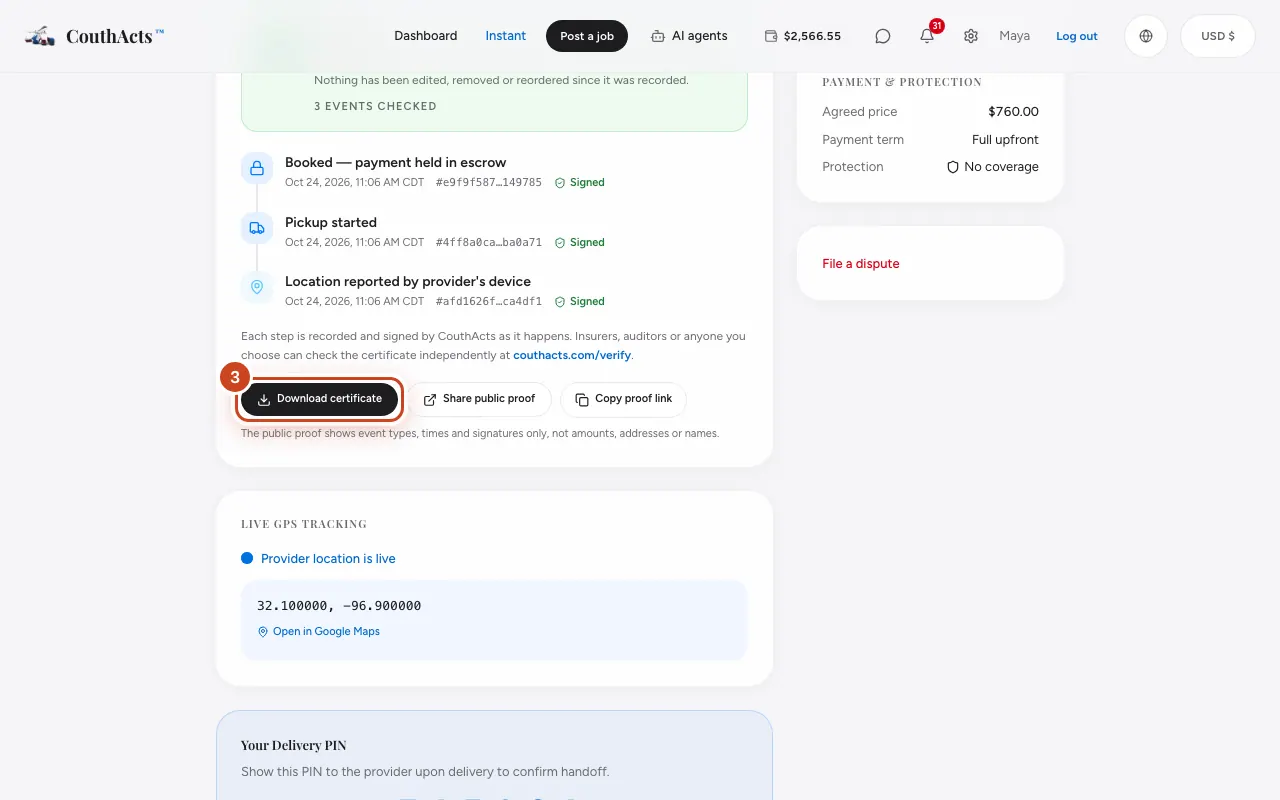
Step 3: Select Download certificate to save the signed certificate.
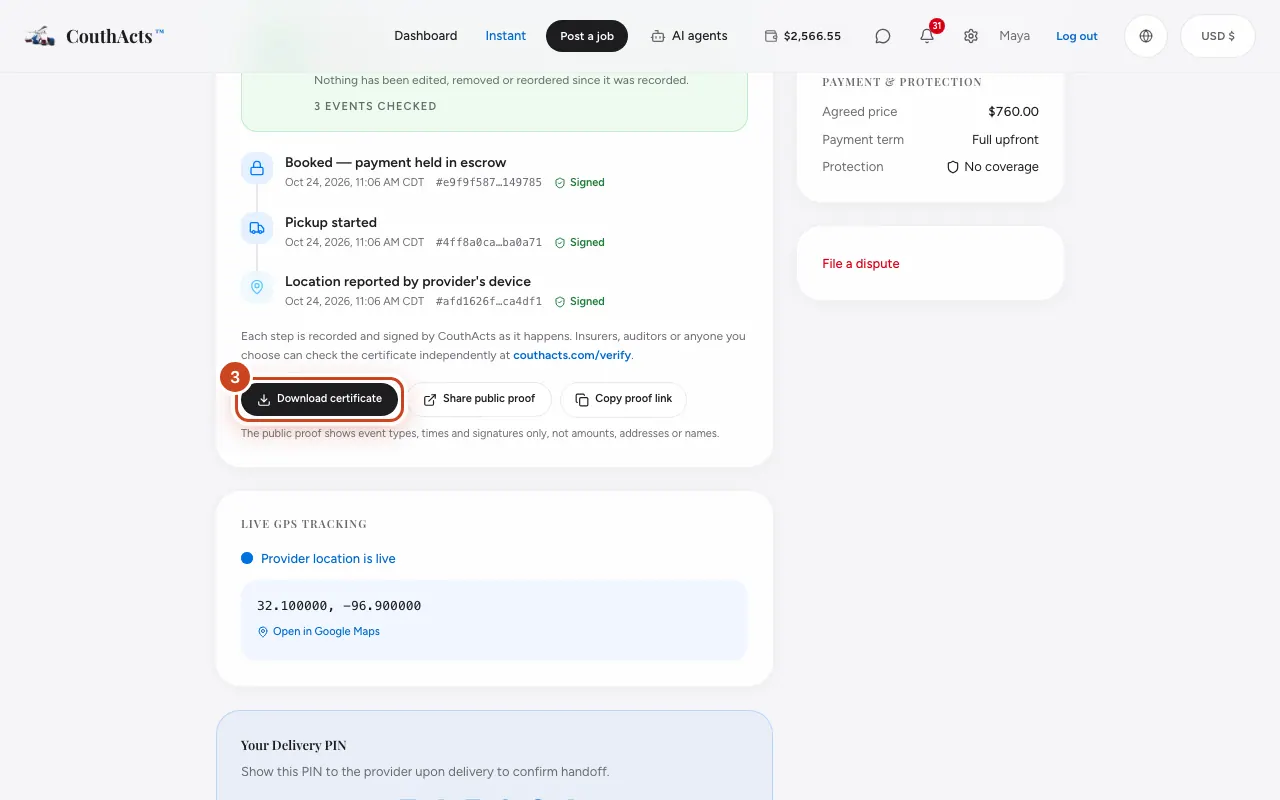
Step 4: Select Share public proof or Copy proof link to share the public proof page.
What happens next
Insurers, auditors or anyone you choose can check the certificate at couthacts.com/verify. The public proof shows event types, times and signatures only, not amounts, addresses or names.
Common problems and fixes
It says “No custody events yet”.
Events are recorded as the job happens. They start when the booking is made.
What does the certificate prove?
It proves what CouthActs recorded and when, and that nothing was changed since. It isn't an inspection of the goods.
On the app
- iPhone
- In the booking, open Chain of custody, then Share proof or Export certificate.
- Android
- In the booking, open Chain of custody, then Share proof or Export certificate.
- Mac
- Export certificate opens a save panel.
- Apple TV
- Apple TV shows the timeline and a QR code of the proof page.