Connect your payout account
Connect a bank account through Stripe so you can withdraw what you earn. CouthActs never sees your bank details.
- Who it's for
- Providers.
- What you need first
- A bank account in the United States.
- Details Stripe asks for, such as your tax ID.
- Time needed
- About 10 minutes
Steps
Screenshots show the website with demo data. The CouthActs apps work the same way; differences are under “On the app”.
Step 1: Open Settings and go to Payout account.
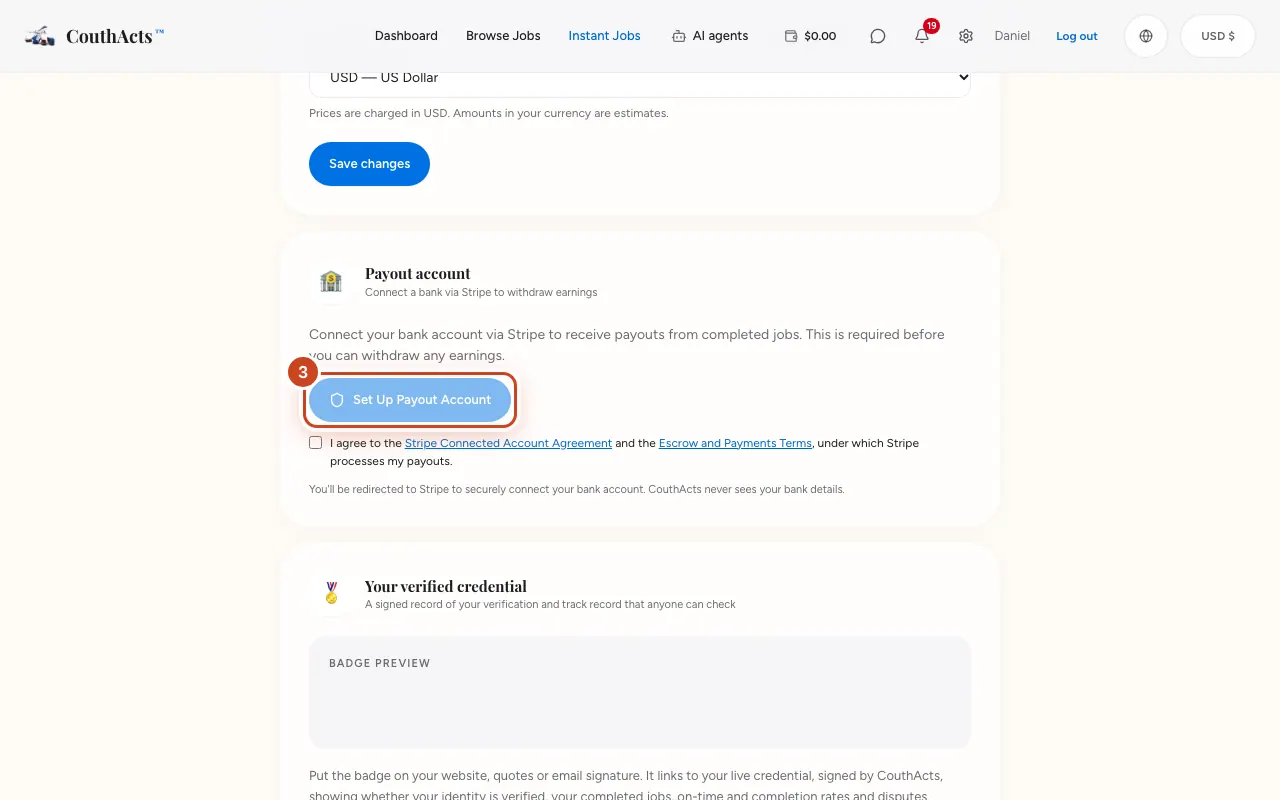
Step 2: Tick the box to accept the Stripe and payments terms.
Step 3: Select Set Up Payout Account.
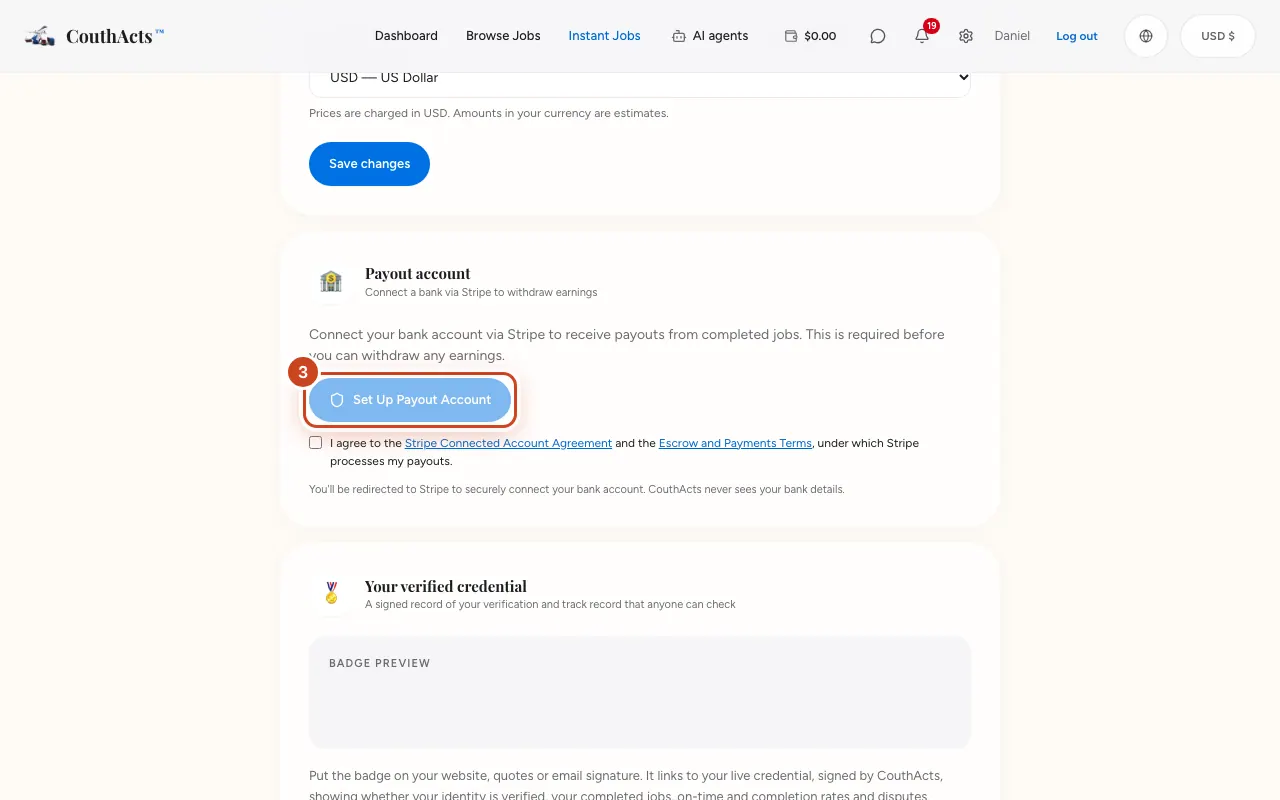
Step 4: Complete Stripe's steps and add your bank account.
Step 5: Back on CouthActs, look for Bank account connected.
What happens next
You can now withdraw from your wallet. You get a notification when payouts are enabled.
Common problems and fixes
It says Stripe setup needs to be completed.
Stripe needs more details. Open Earnings & payouts and select Set Up Payouts to continue where you left off.
I'm outside the United States.
Payouts are currently available to providers who can open a Stripe account in the United States.
On the app
- iPhone
- Go to Wallet → Set up payouts (or Finish payout setup).
- Android
- Go to Wallet → Set up payouts (or Finish payout setup).
- Apple TV
- Apple TV shows a QR code (Payouts).