Understand the CouthActs Score
A number that reflects a provider's record on CouthActs. It's shown with its ceiling, such as 87 / 90. Every account starts at 50, which is normal.
- Who it's for
- Providers, and customers comparing them.
- What you need first
- Nothing.
- Time needed
- About 3 minutes
Steps
Screenshots show the website with demo data. The CouthActs apps work the same way; differences are under “On the app”.
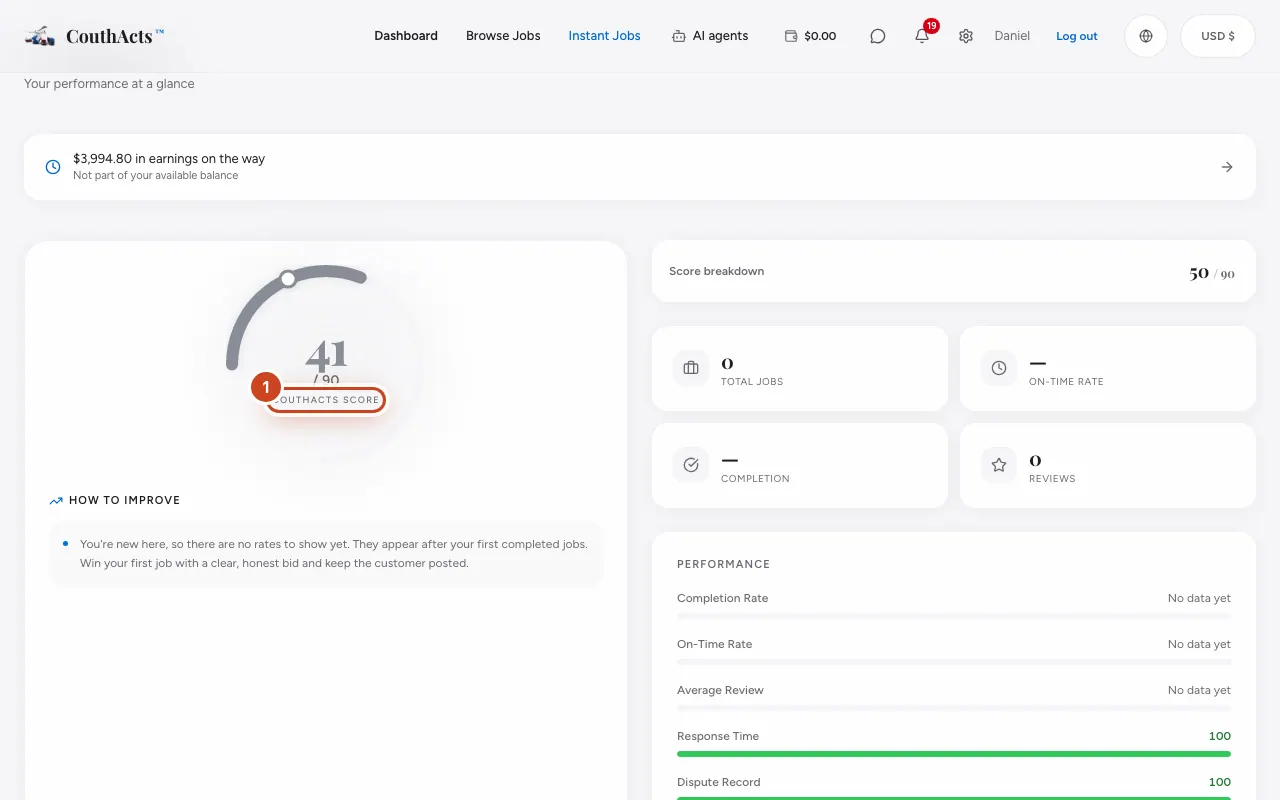
Step 1: Providers: open your dashboard to see your score and its ceiling.
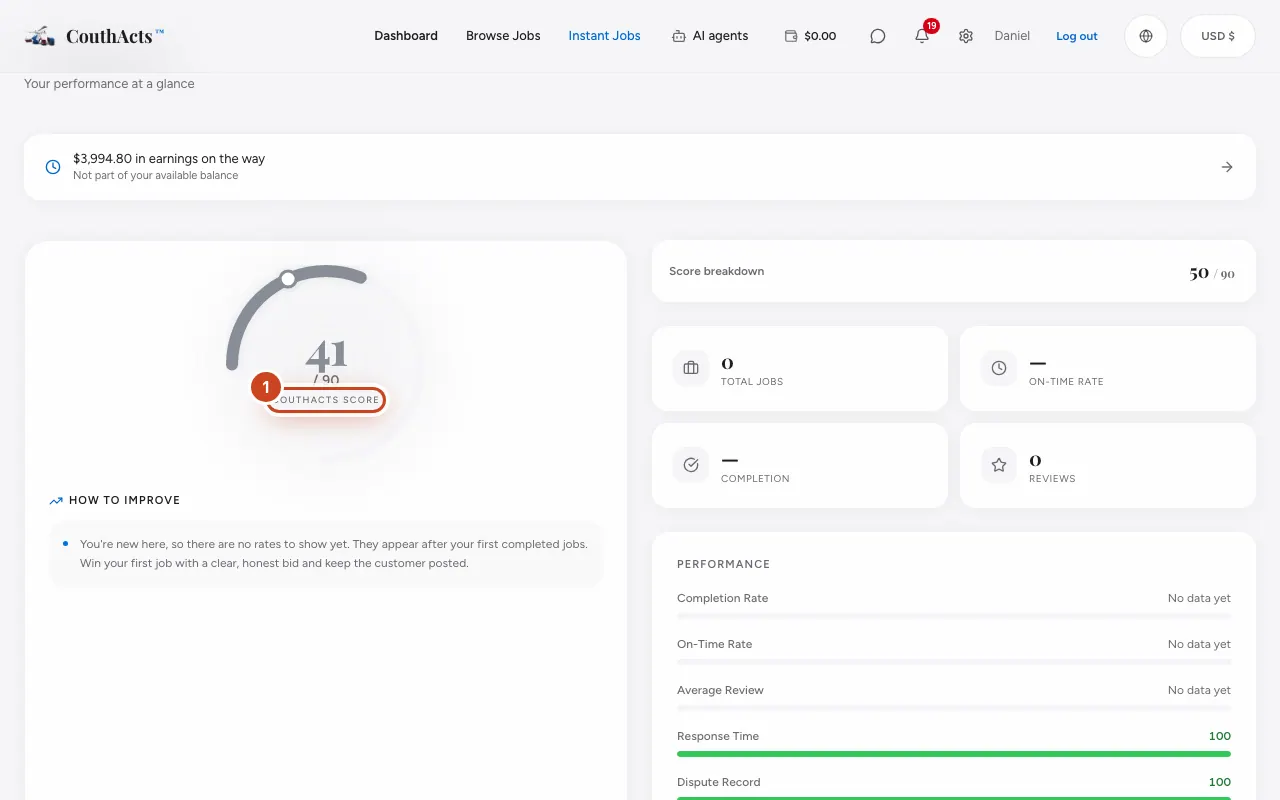
Step 2: Open the breakdown to see the parts: the base of 50, the WorkPair Registry Verified bonus, and your earned reputation.
Step 3: Read the bars: Completion Rate, On-Time Rate, Average Review, Response Time and Dispute Record.
Step 4: Read How to Improve for what to work on next.
What happens next
The score updates after every completed booking and every new review. Earned reputation grows with completed, on-time, well-reviewed work and fast responses, and each dispute in the last 12 months takes points off. The ceiling is 90, or 98 with WorkPair Registry Verified.
Common problems and fixes
My score is 50. Is that bad?
No. 50 is where everyone starts. It moves as you complete jobs; one great job can't take you straight to the ceiling.
Do Academy certificates raise my score?
No. Academy certificates don't change the score.
Why is my score capped?
Earned reputation can't go past the ceiling. Becoming WorkPair Registry Verified raises it from 90 to 98.