Become WorkPair Registry Verified
Link your WorkPair ID and share an institution-signed credential. Providers get +10 on their score and a ceiling of 98; customers get the badge. It's free.
- Who it's for
- Providers and customers, including businesses.
- What you need first
- Your identity verified on CouthActs.
- A WorkPair account (free to create), with a credential an institution has issued to you, such as a licence or business registration.
- Time needed
- About 5 minutes
- Not linked
- Linked: identity only
- Verified: badge, +10, ceiling 98
- Paused if a credential lapses
Steps
Screenshots show the website with demo data. The CouthActs apps work the same way; differences are under “On the app”.
Step 1: Open Settings and find Boost your credibility with WorkPair Registry.
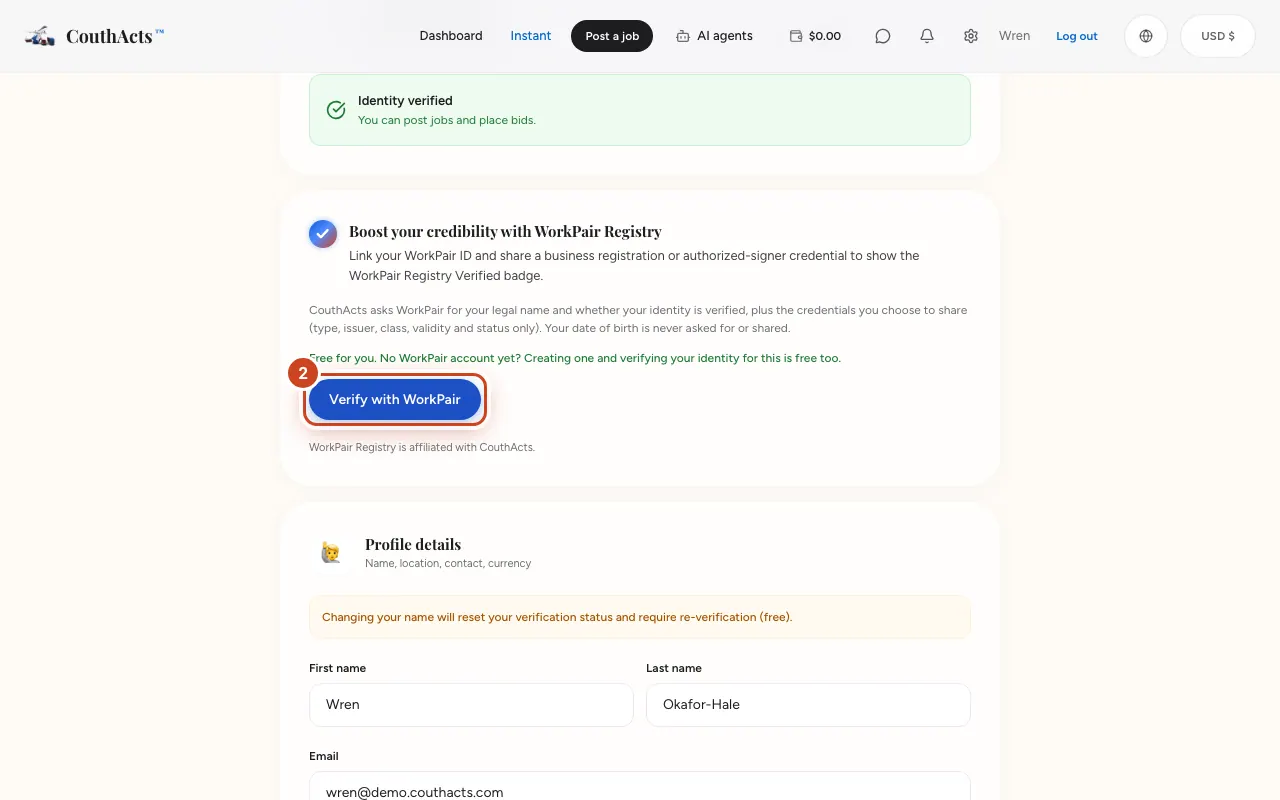
Step 2: Read what CouthActs will ask WorkPair for, then select Verify with WorkPair.
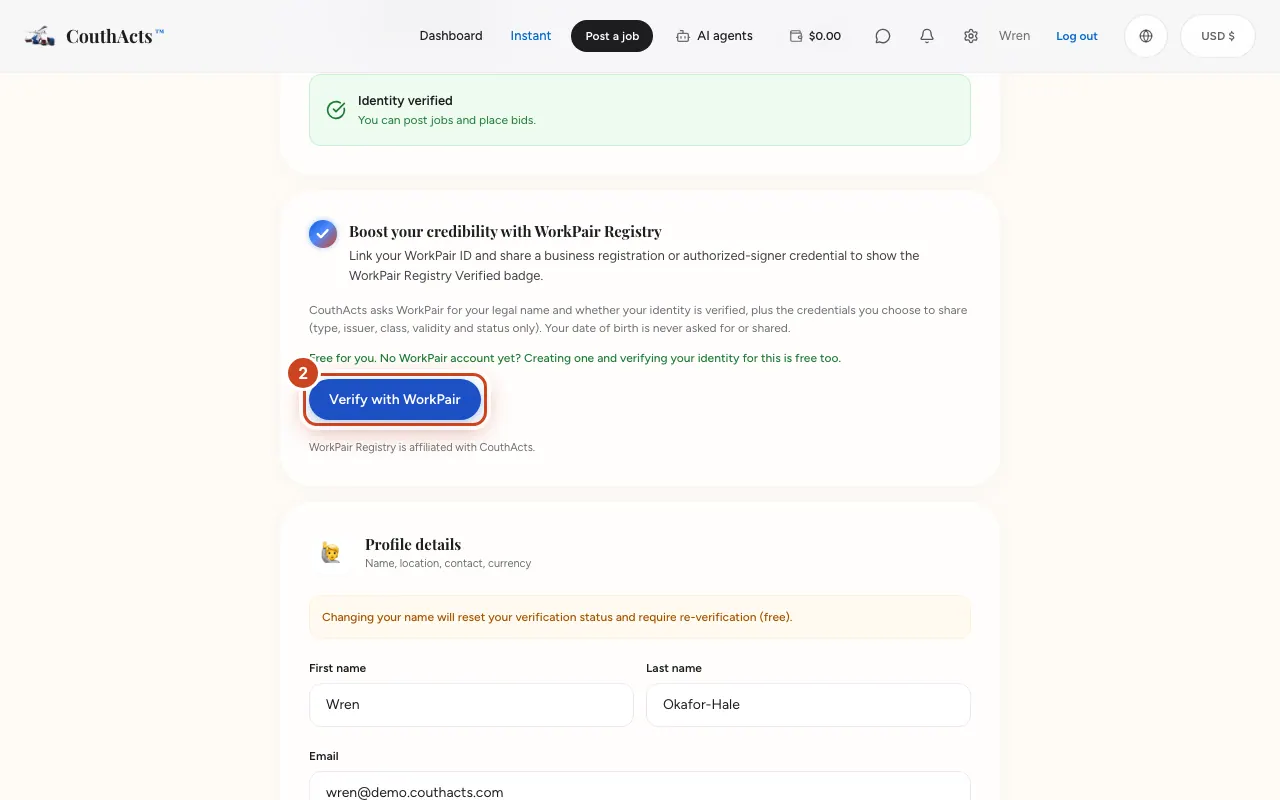
Step 3: On WorkPair, sign in and approve sharing.
Step 4: Back on CouthActs, check the card says WorkPair Registry Verified.
Step 5: Look at Your WorkPair credentials to see which credentials count.
Step 6: Select Share your badge if you'd like to show your badge.
What happens next
Your badge shows on your profile, bids and credential. WorkPair keeps checking your credentials are current; if one lapses, the badge and the +10 pause until you re-verify. Your earned reputation never changes.
Common problems and fixes
It says WorkPair linked, but no badge.
Your identity is linked, but no institution credential that counts for your account is current yet. Ask the institution to issue it on WorkPair, then unlink and verify again.
It says my record and profile don't line up.
Your legal name or identity status differ between WorkPair and CouthActs. Fix whichever is wrong, then try again.
It says verify your identity first.
WorkPair is compared with your verified legal name. Verify your identity first.
What does CouthActs see?
Your legal name, whether your identity is verified, and the credentials you choose to share (type, issuer, class, validity and status). Never your date of birth.
On the app
- iPhone
- Link WorkPair on the website; your badge then shows in the app.
- Android
- Go to Account → Boost your credibility with WorkPair Registry → Verify with WorkPair.