Verify your identity (free)
A quick government ID and live selfie check by Stripe Identity. You need it to post jobs, place bids and receive payouts. It costs nothing.
- Who it's for
- Every customer and provider.
- What you need first
- A profile photo on your account.
- Your government ID.
- A phone or computer with a camera.
- Your first and last name on CouthActs matching your ID exactly.
- Time needed
- About 5 minutes
Steps
Screenshots show the website with demo data. The CouthActs apps work the same way; differences are under “On the app”.
Step 1: Open Settings.
Step 2: Check that your first and last name match your ID. If not, fix them under Profile details and select Save changes.
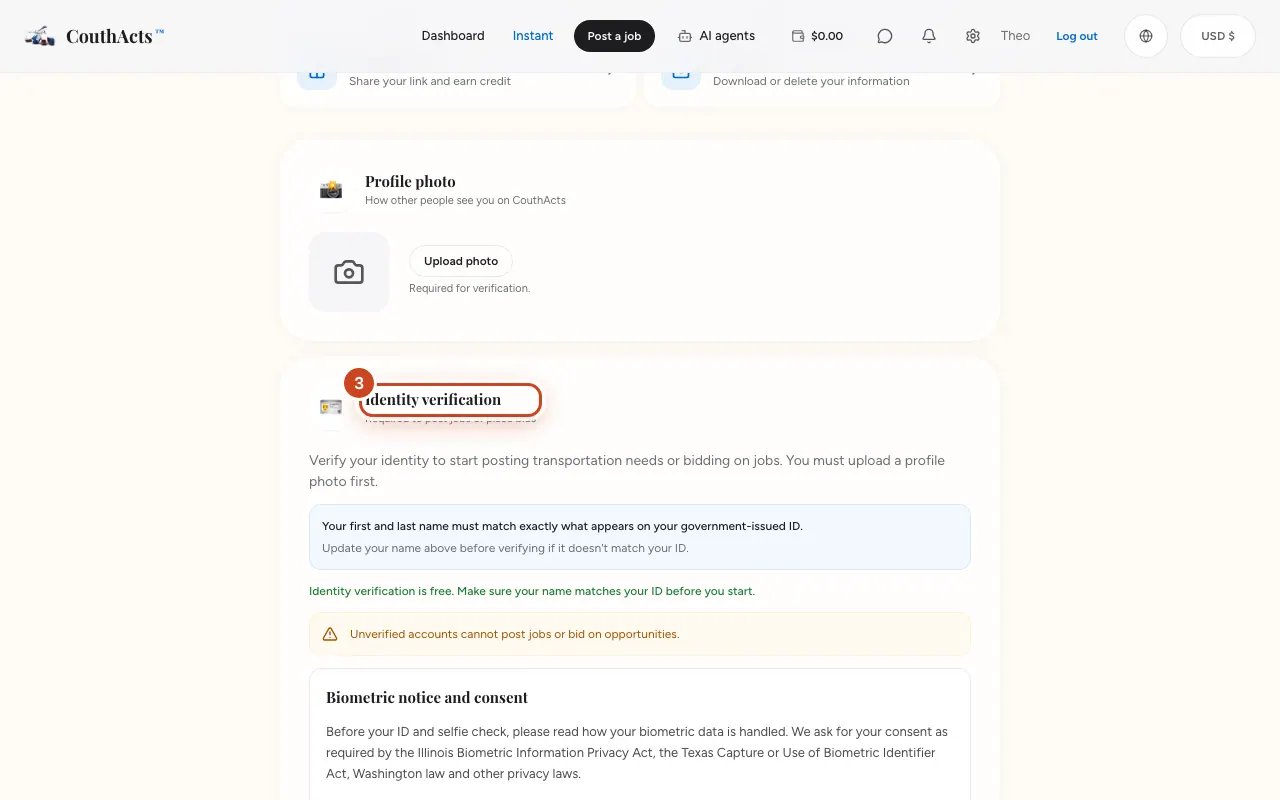
Step 3: Go to Identity verification.
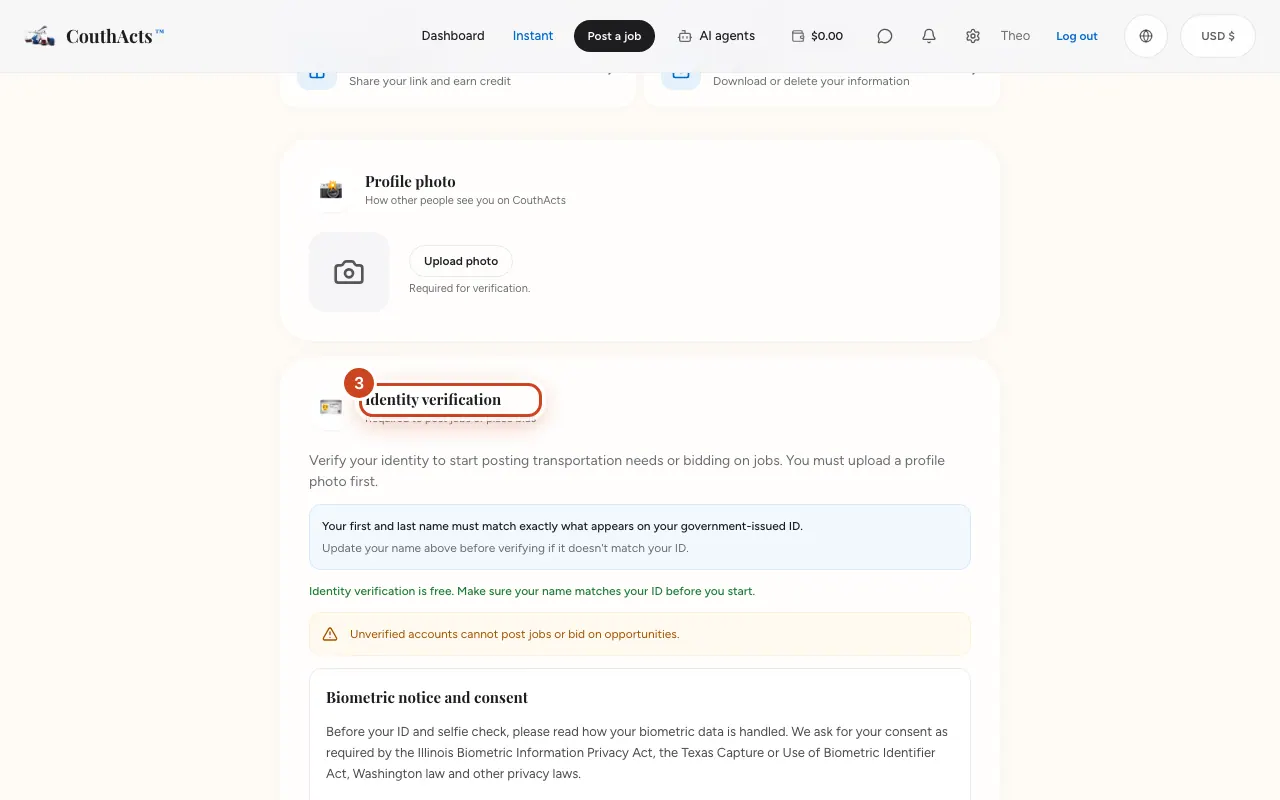
Step 4: Read the Biometric notice and consent, tick the box and select Give consent and continue.
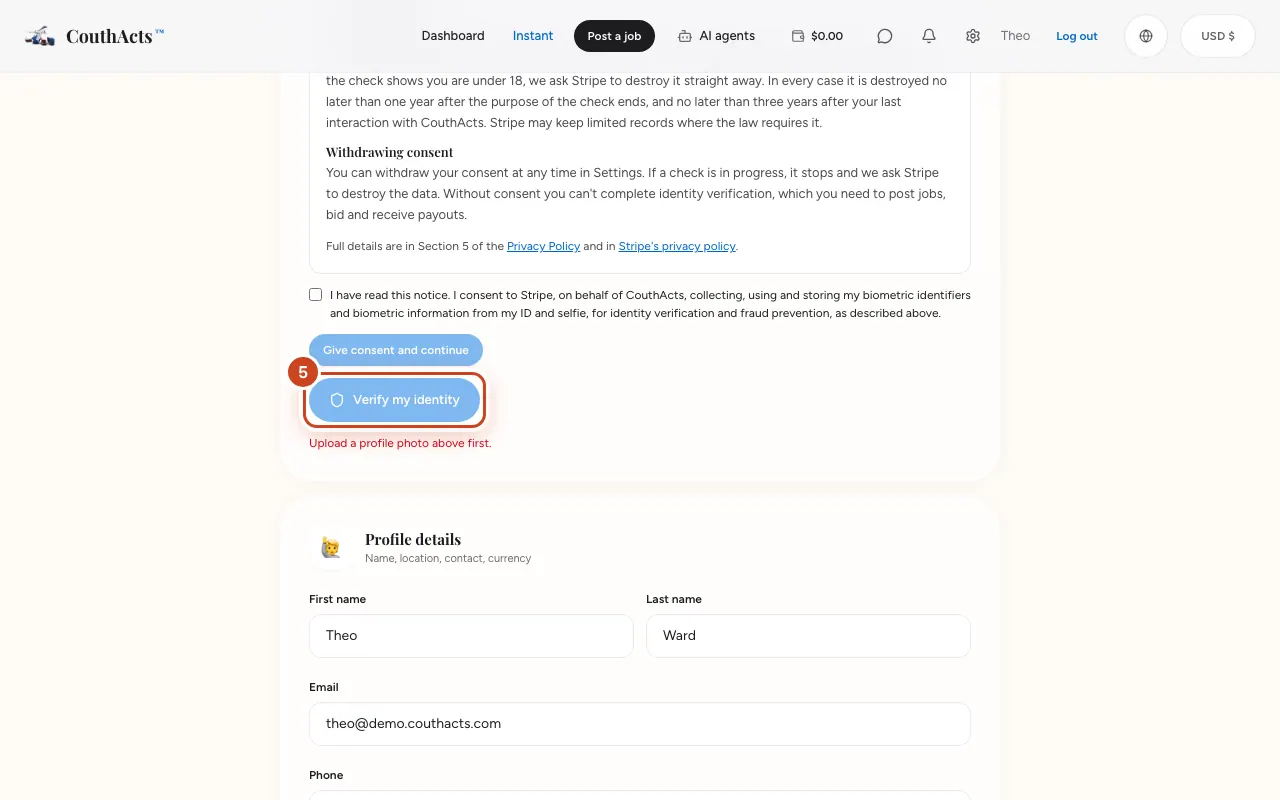
Step 5: Select Verify my identity.
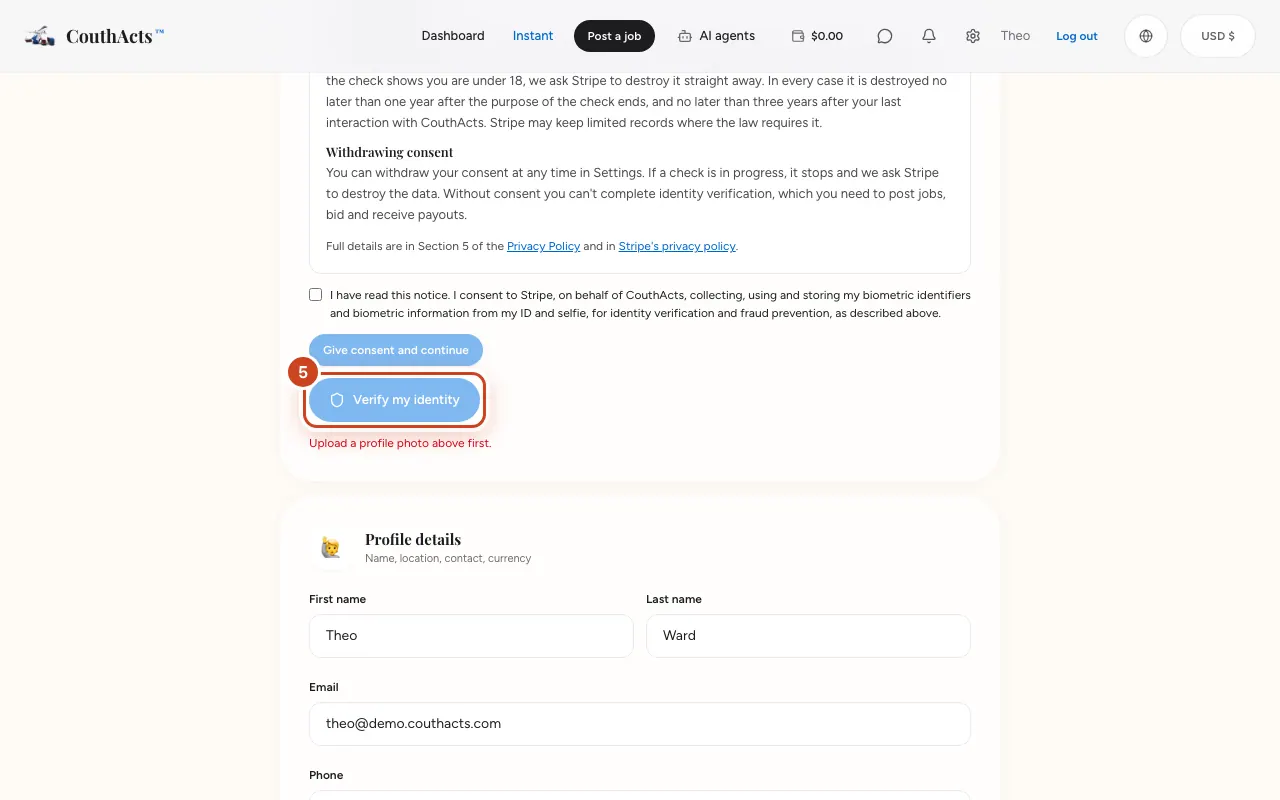
Step 6: Follow Stripe's steps: photograph your ID, then take a live selfie.
Step 7: Come back to CouthActs. The card shows Verification in progress and then Identity verified.
What happens next
Most checks finish in a few moments. You get a notification when you're verified, and you can then post jobs or bid.
Common problems and fixes
It says “Verification rejected”.
Usually your name on CouthActs didn't match your ID, or the photos weren't clear. Correct your name in Settings, then select Try again.
The verify button is greyed out.
Upload a profile photo first, at the top of Settings.
Does it cost anything?
No. Identity verification is free, and you don't need any money in your wallet.
Who sees my ID and selfie?
Stripe does the check. CouthActs receives the result, never your ID images or selfie. You can withdraw your biometric consent at any time in Settings.
On the app
- iPhone
- Go to Account → Identity verification → Verify my identity. The Stripe check opens inside the app.
- Android
- Go to Account → Identity verification → Verify my identity. The Stripe check opens in a secure browser tab.
- Apple TV
- Apple TV shows a QR code to verify on your phone.