Get verified for your services
CouthActs checks your authority, insurance and licences mode by mode. You can bid in a mode once it's approved.
- Who it's for
- Providers.
- What you need first
- A verified identity.
- Your documents as PDF, JPG or PNG up to 4 MB.
- Insurance certificates naming CouthActs Incorporated as certificate holder.
- Time needed
- About 15 minutes
- Request a service
- Upload documents
- Checks and hand review
- Needs information
- Approved: bid and get alerts
- Suspended if a document lapses
Steps
Screenshots show the website with demo data. The CouthActs apps work the same way; differences are under “On the app”.
Step 1: Open Provider verification at /verify-business.
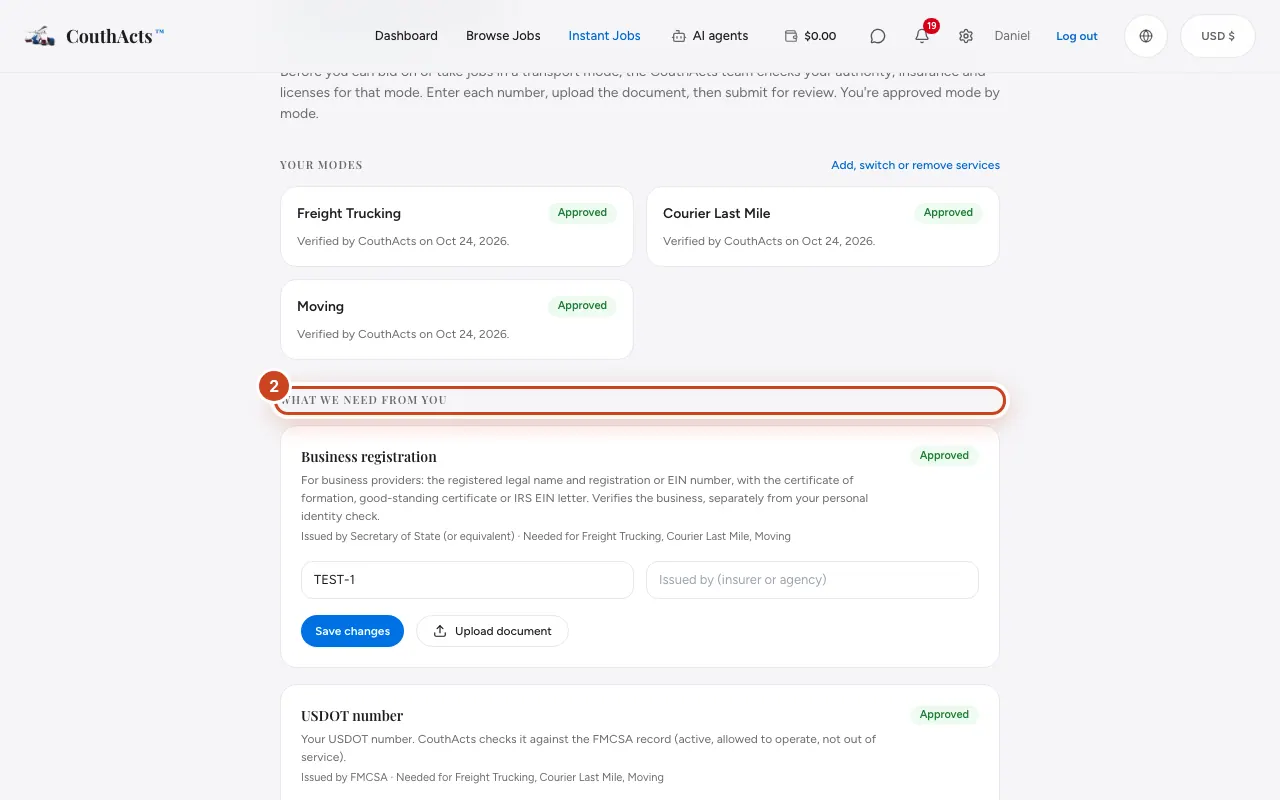
Step 2: Under What we need from you, fill in each item's number, issuer, coverage and expiry date, and select Save.
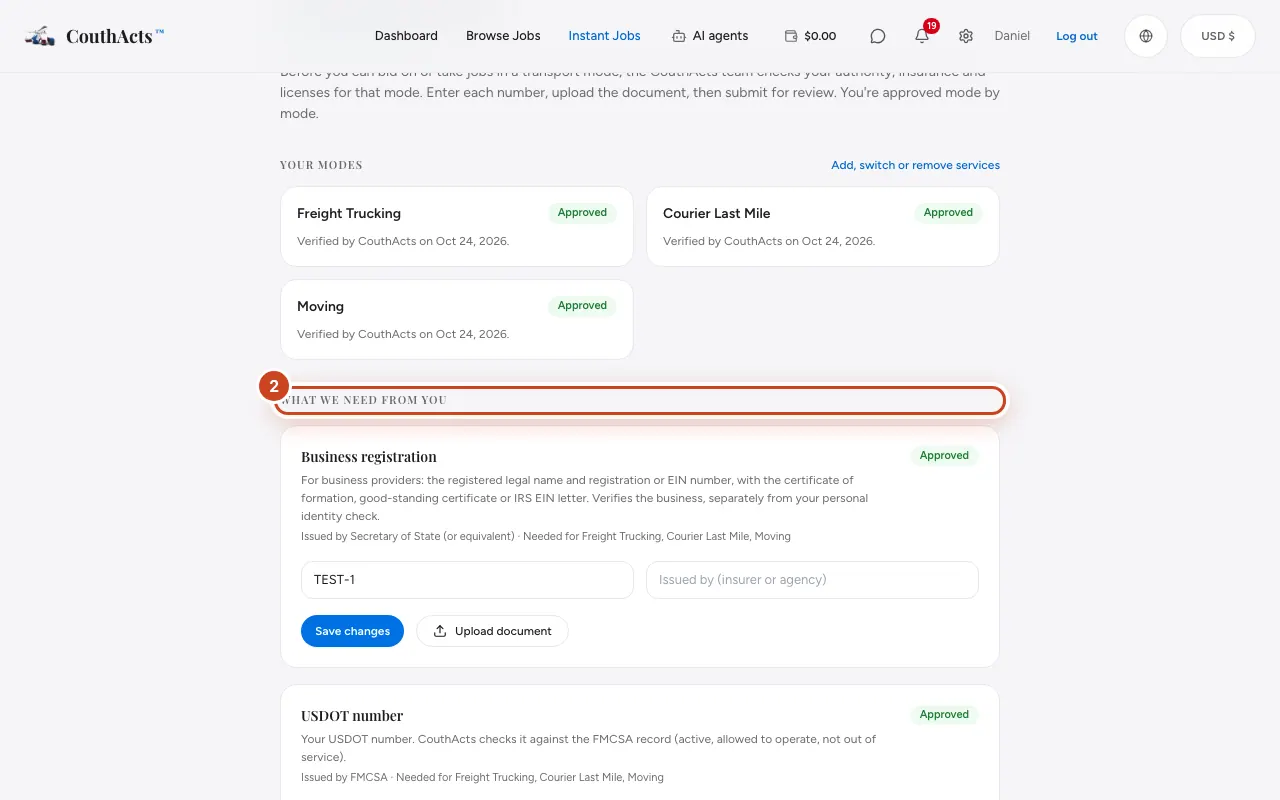
Step 3: Select Upload document and choose the document.
Step 4: If an item doesn't apply to you, tick This doesn't apply to me and say why.
Step 5: For freight modes, tick I accept the Broker-Carrier Agreement.
Step 6: Select Submit for review.
What happens next
CouthActs runs automatic FMCSA checks where they apply, then a person reviews every item by hand, usually within 1–3 business days. You're told about each decision. A mode is suspended automatically if a credential expires, so upload renewals on time.
Common problems and fixes
It says to verify my identity first.
CouthActs approves modes only after your ID is verified. See Verify your identity.
An item says Needs information.
Read the note from the reviewer, fix the item and submit again.
A mode is suspended.
A document behind it has expired or failed a check. Upload the renewal to have it reviewed again.
On the app
- iPhone
- Go to Account → Verification and documents, then Upload document and Submit for review.
- Android
- Go to Account → Provider verification, then Upload document and Submit for review.
- Apple TV
- Apple TV lists your status; upload documents on your phone or the website.