Add, switch or remove a service
Change the transport services you offer and state your capacity, so you only get jobs you can carry.
- Who it's for
- Providers.
- What you need first
- A verified identity.
- Time needed
- About 5 minutes
- Request a service
- Upload documents
- Checks and hand review
- Needs information
- Approved: bid and get alerts
- Suspended if a document lapses
Steps
Screenshots show the website with demo data. The CouthActs apps work the same way; differences are under “On the app”.
Step 1: Open Services at /provider/services.
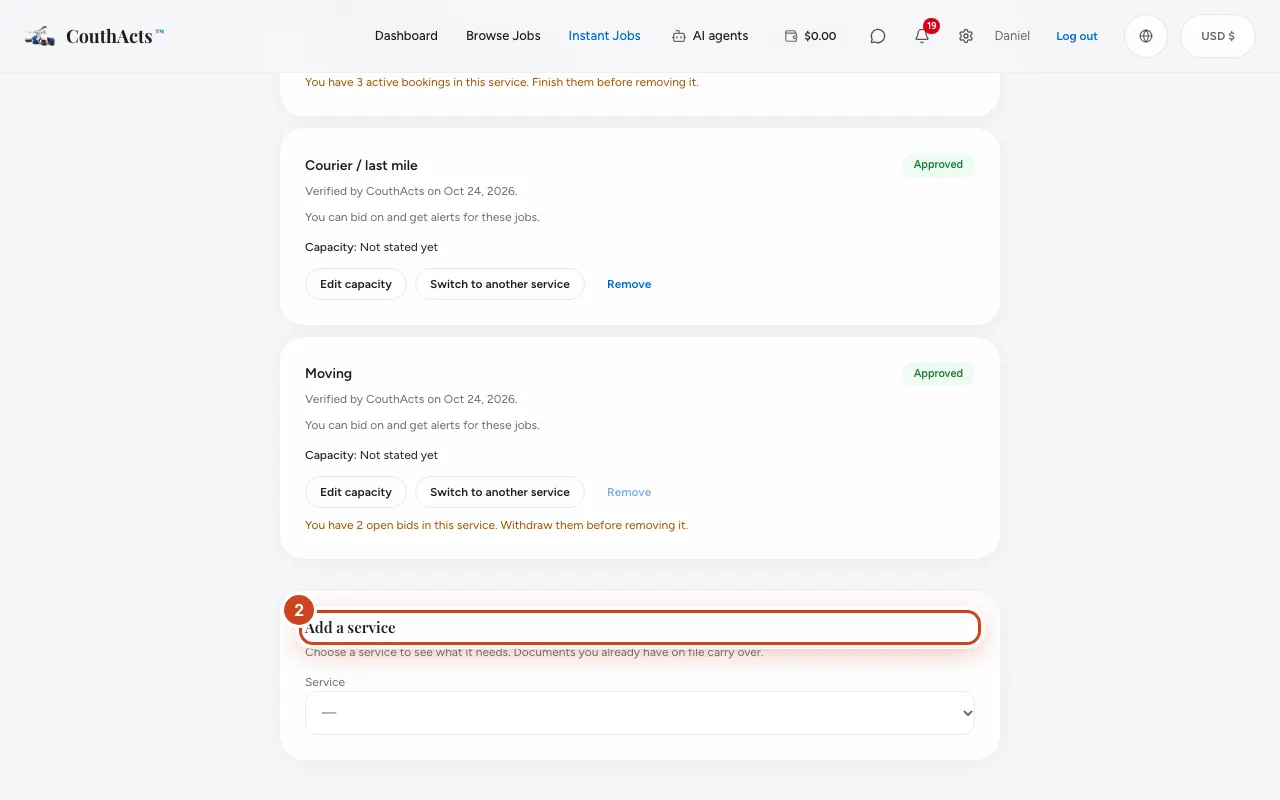
Step 2: To add one, go to Add a service, choose a Service and read What CouthActs needs.
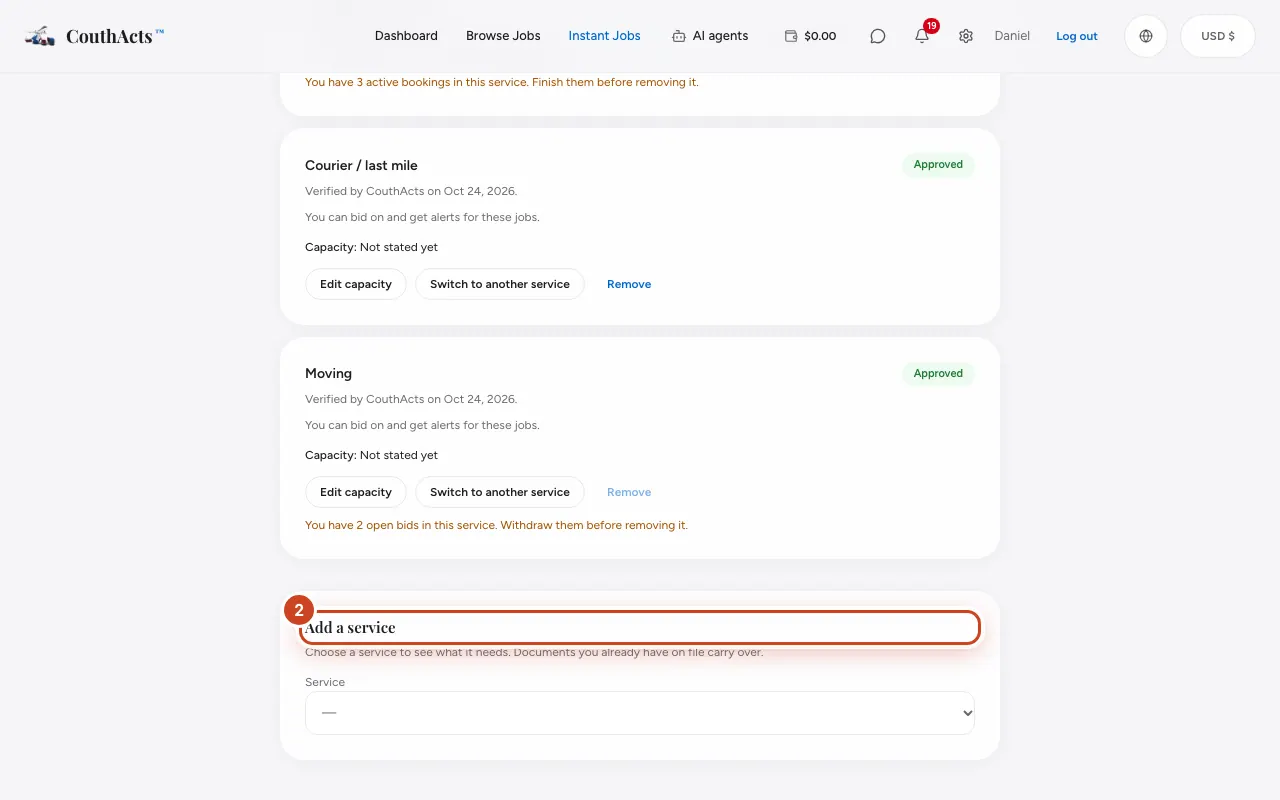
Step 3: Select Request this service.
Step 4: To change one, select Switch to another service, choose the new service and select Request the switch.
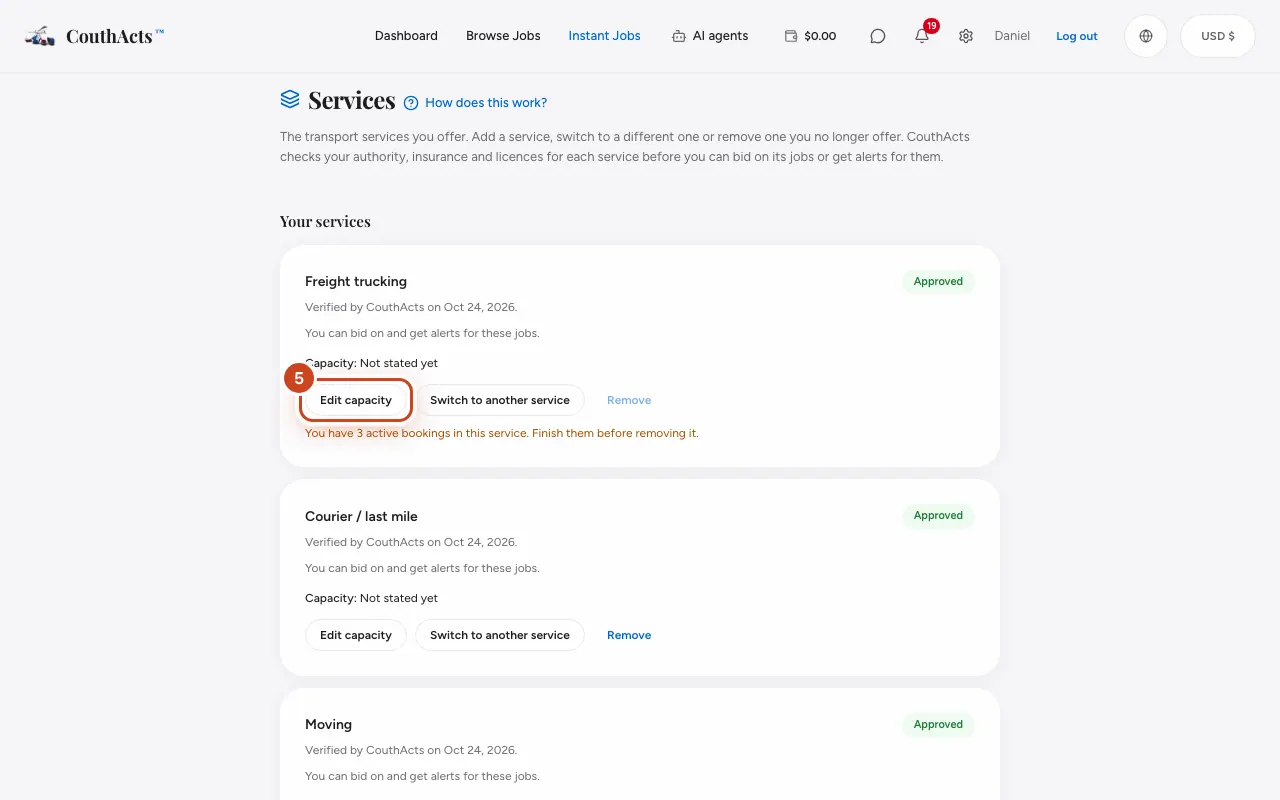
Step 5: To state your capacity, select Edit capacity, fill in vehicles, seats, payload or pallets and select Save.
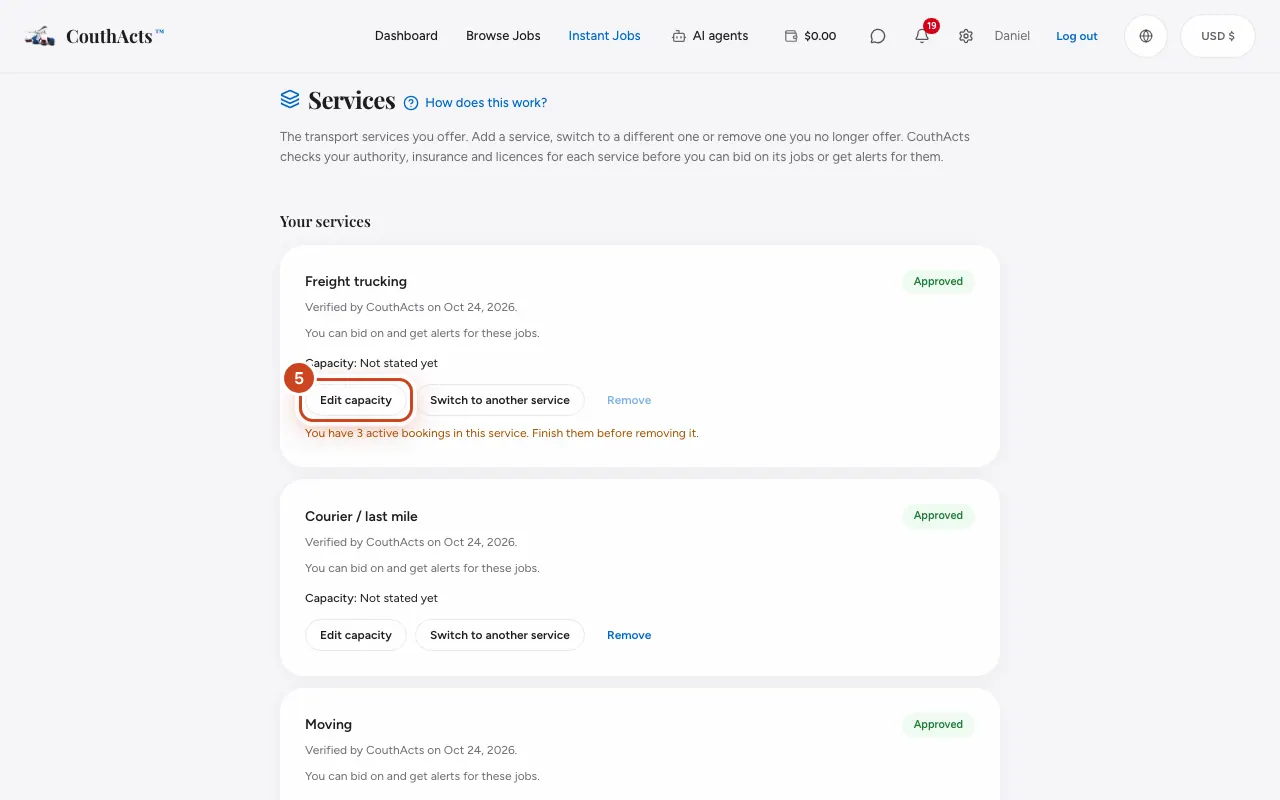
Step 6: To stop offering one, select Remove and confirm.
What happens next
A new or switched service is reviewed by hand, usually within 1–3 business days. When you switch, you keep your current service until the new one is approved. Submit any missing documents on the verification page.
Common problems and fixes
I can't remove a service.
Finish its active bookings and withdraw its open bids first. If it's your only approved service, switch instead so you can keep working.
A service says On hold.
A document behind it expired. Upload the renewal to reopen it.
On the app
- iPhone
- Go to Account → Services: Add a service, Switch, Edit capacity.
- Android
- Go to Account → Services.
- Mac
- Choose Go → Services.
- Apple TV
- Apple TV shows your services read-only, with a QR code to change them.