Post a job
Tell providers what needs moving, where and when, set your budget and post. Your budget is held in your wallet until you accept an offer.
- Who it's for
- Customers.
- What you need first
- Time needed
- About 5 minutes
- Post the job
- Verified providers bid
- Accept a bid
- Money held in escrow
- Pickup starts
- Check-ins signed on the way
- Delivery confirmed with PIN
- 24-hour hold
- Payout and review
Steps
Screenshots show the website with demo data. The CouthActs apps work the same way; differences are under “On the app”.
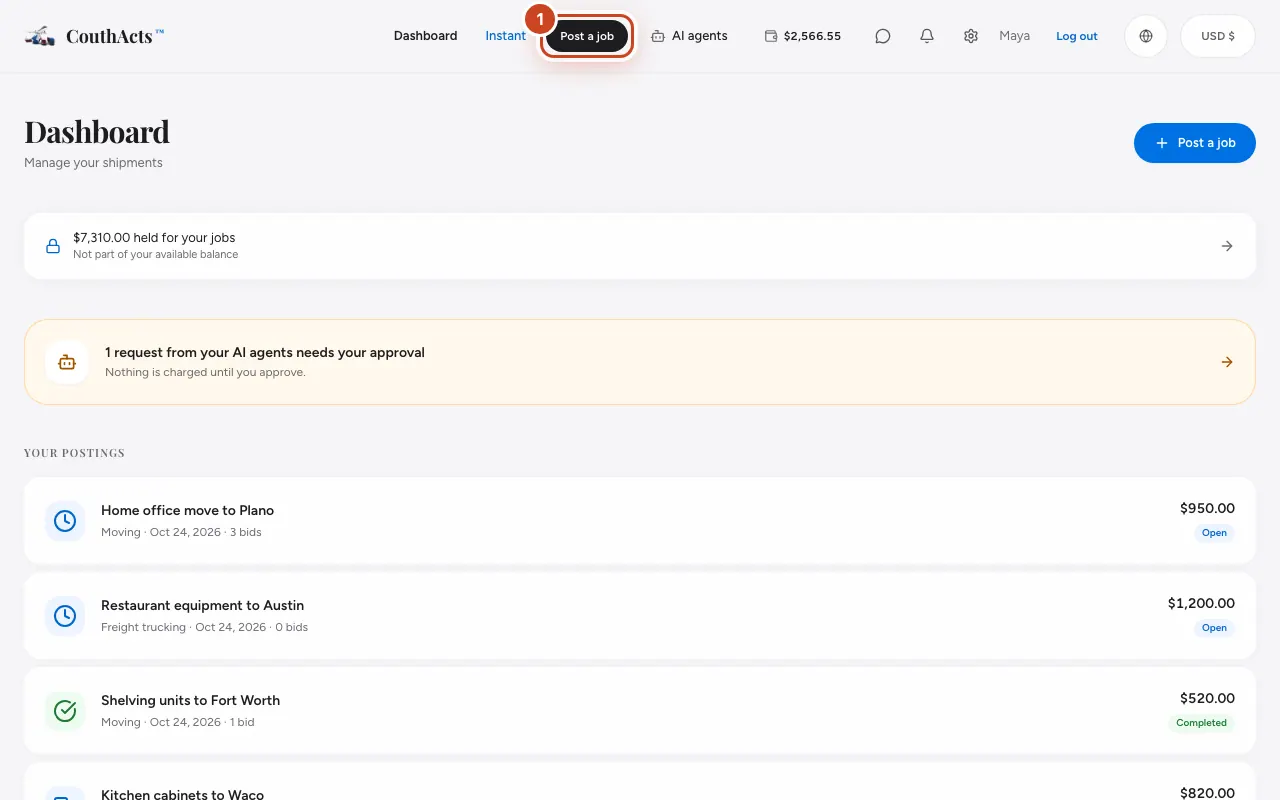
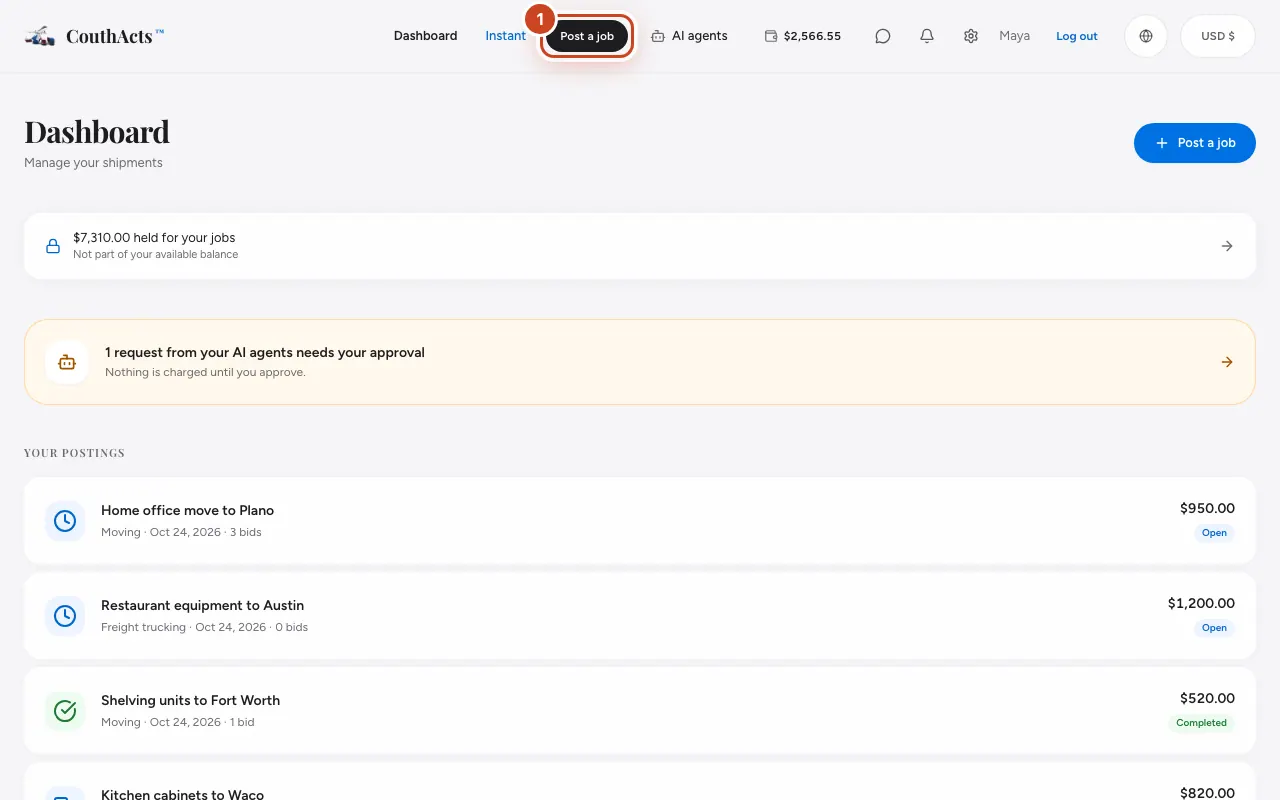
Step 1: Select Post a job at the top of the page.
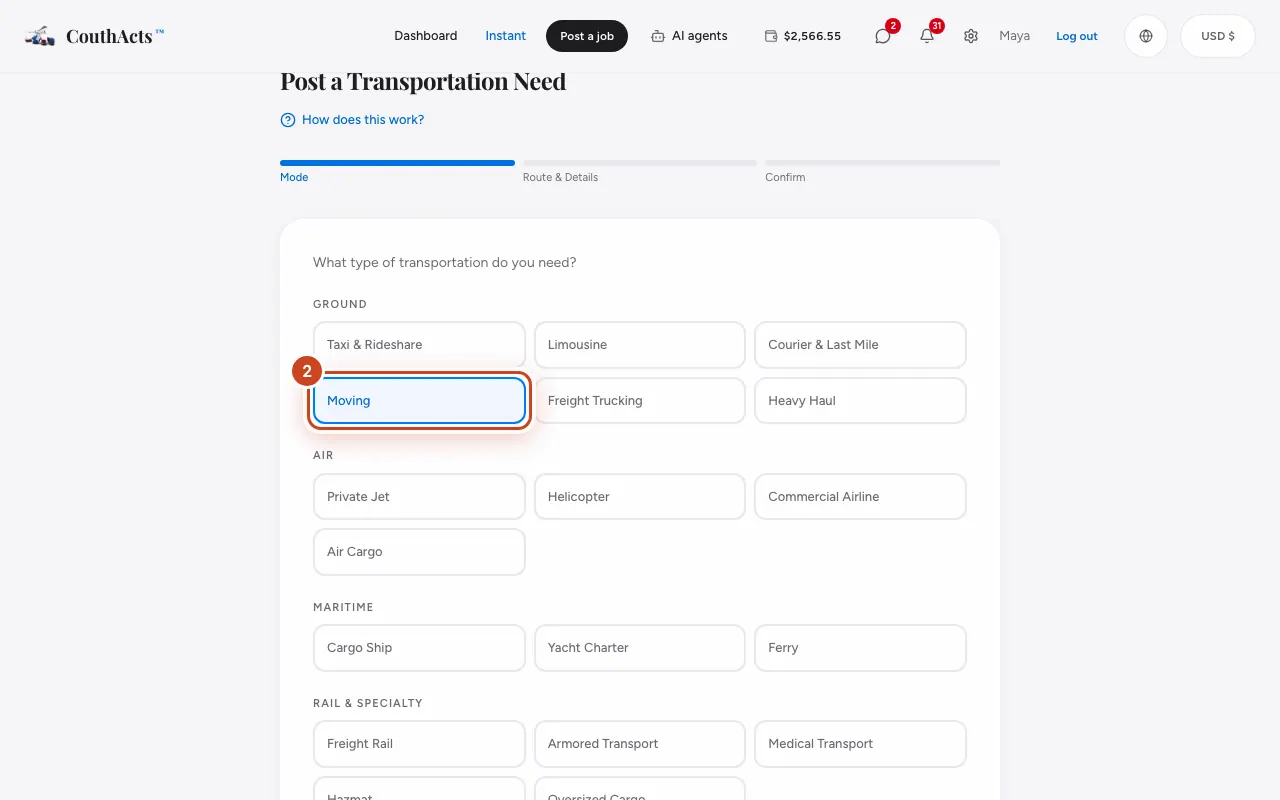
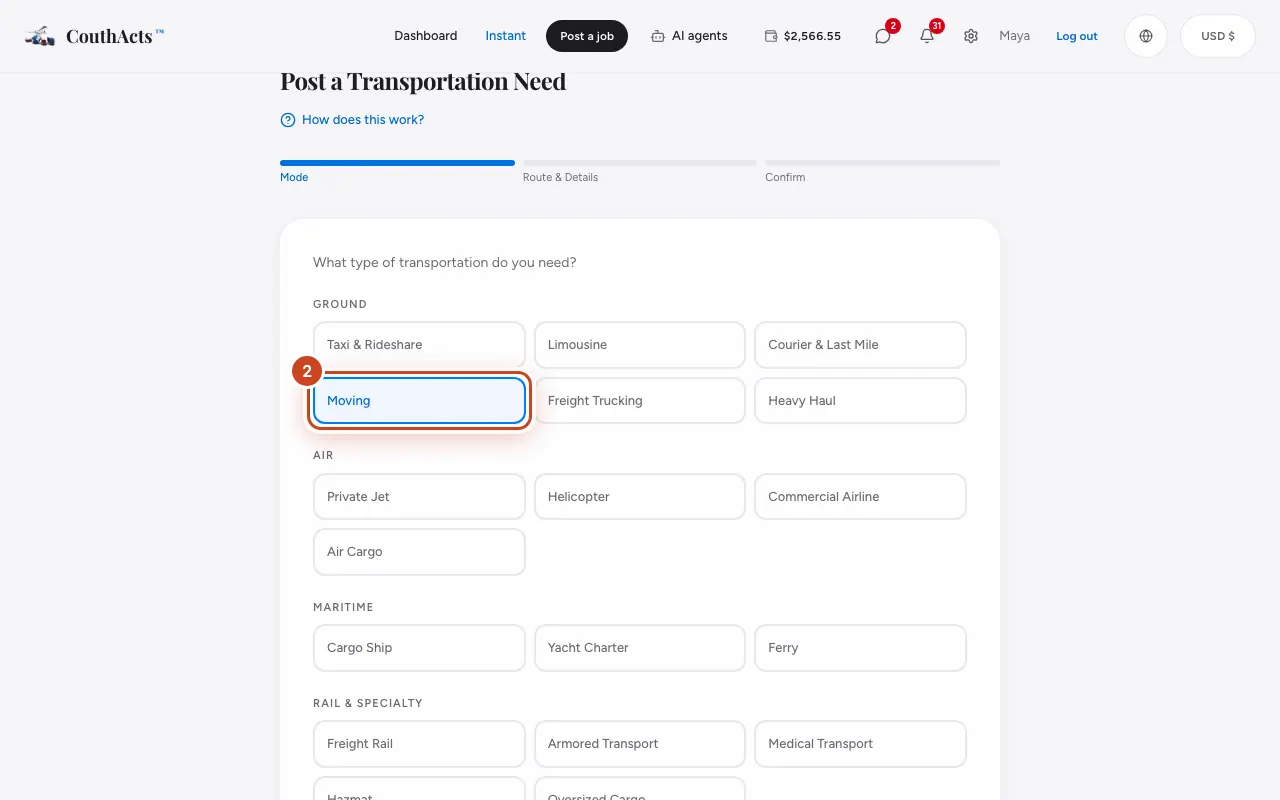
Step 2: Choose the kind of transport you need, then select Next.
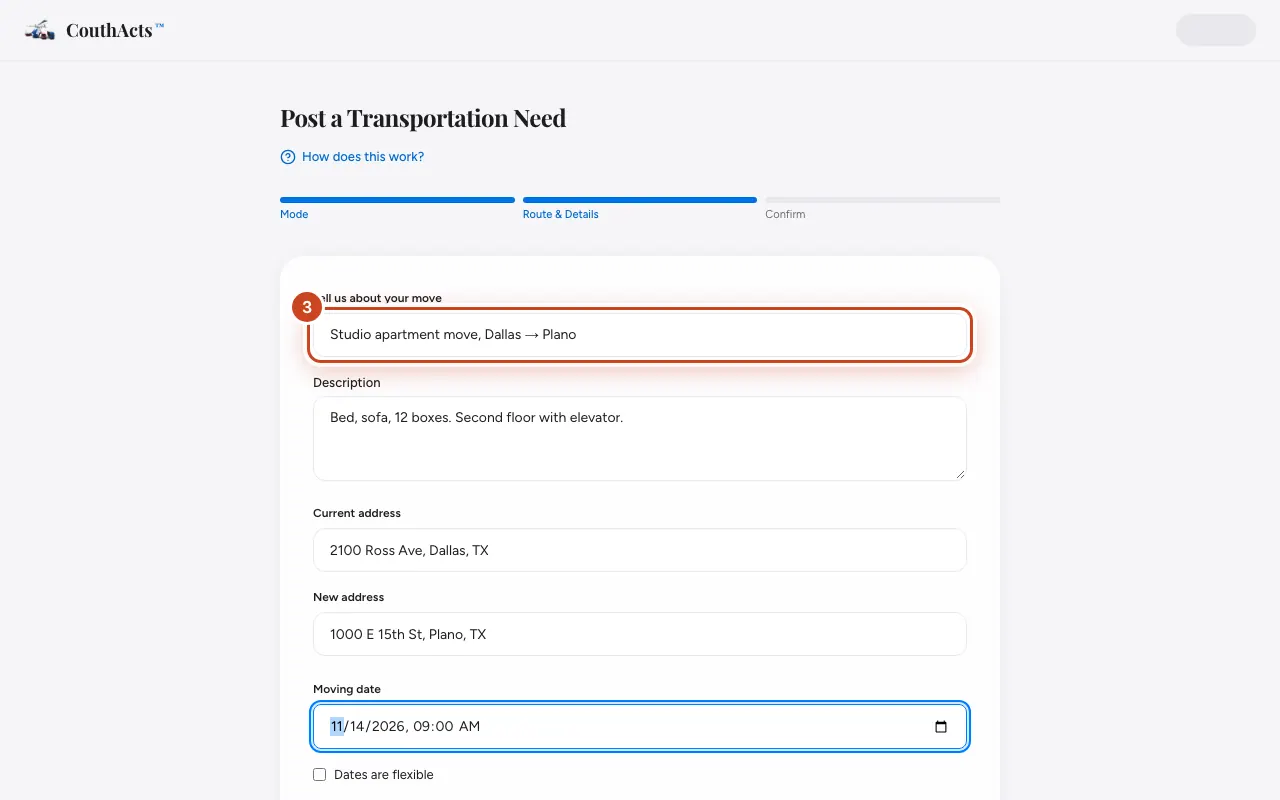
Step 3: Give the job a short title and describe what's being moved.
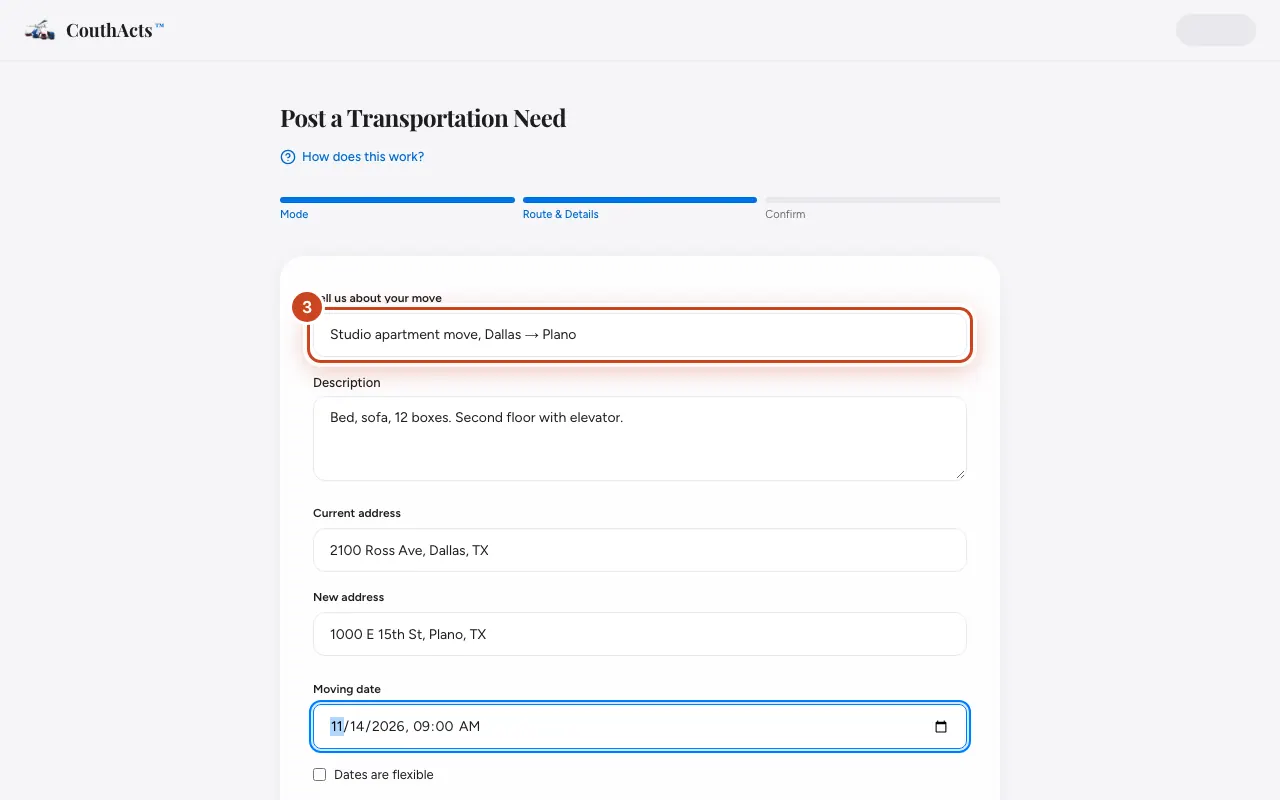
Step 4: Type the pickup and delivery addresses.
Step 5: Pick the date and time. Tick Dates are flexible if you can be flexible.
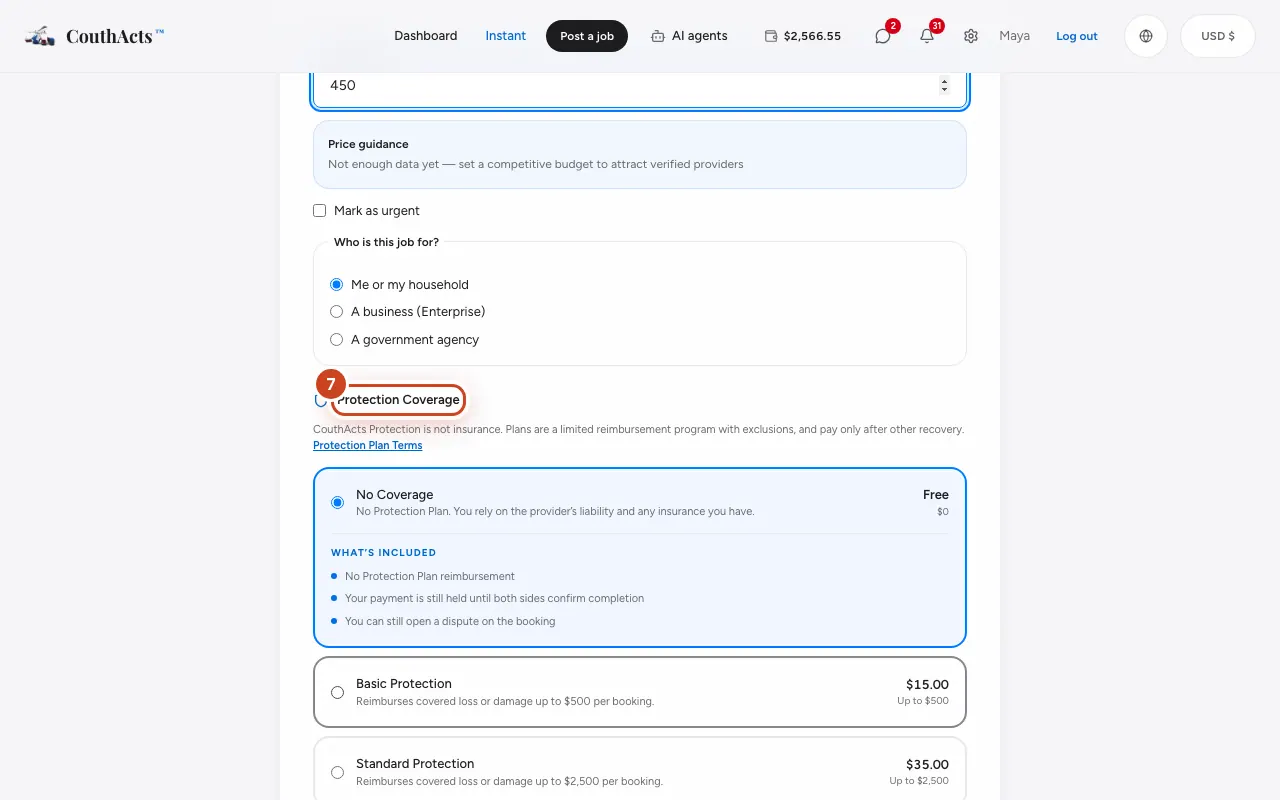
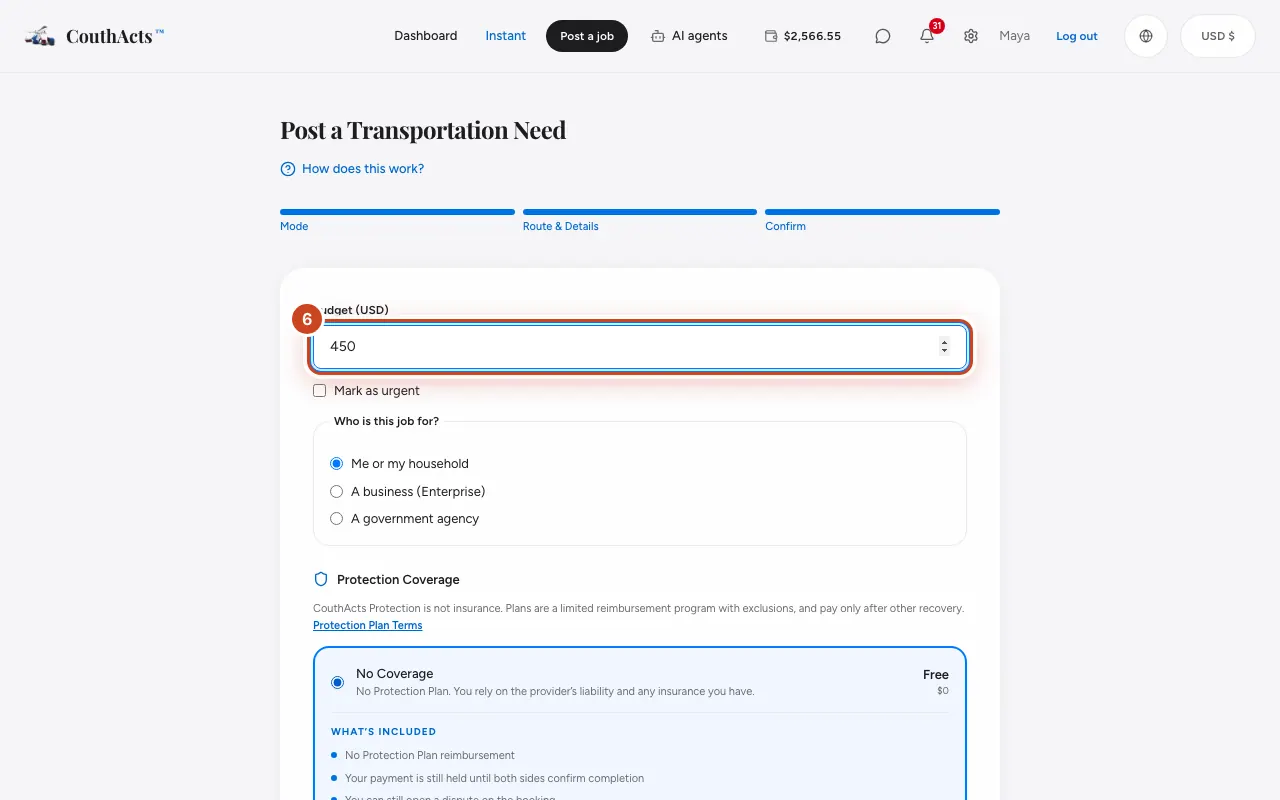
Step 6: Enter your budget. The Price guidance box shows what similar jobs usually cost.
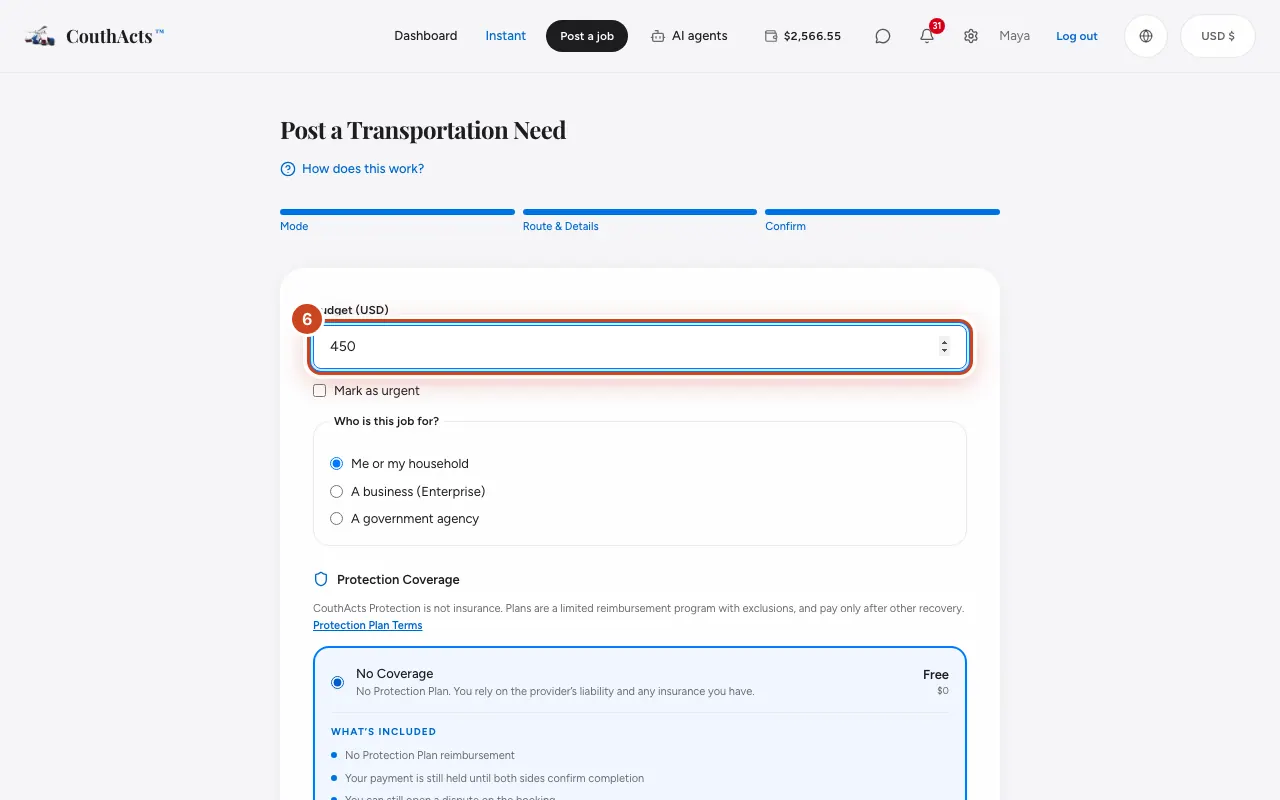
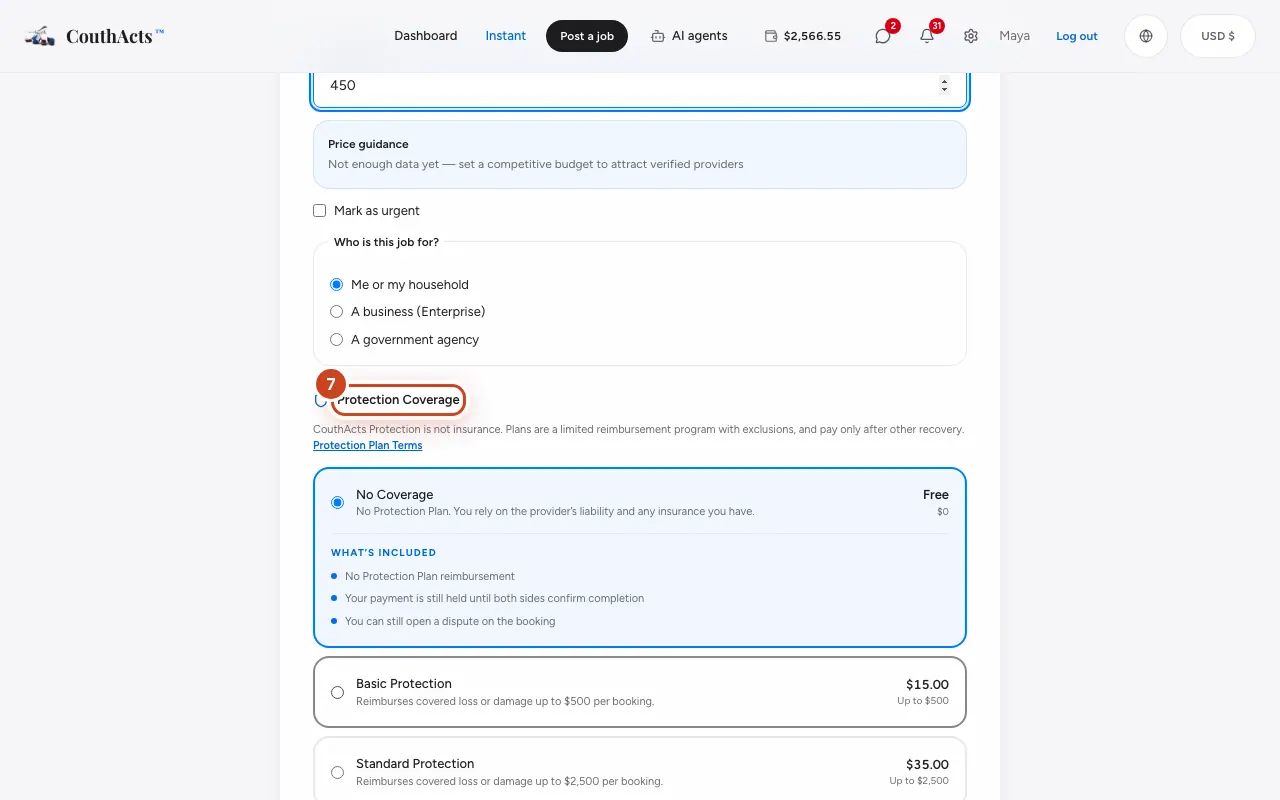
Step 7: Choose a Protection Plan, or leave No Coverage.
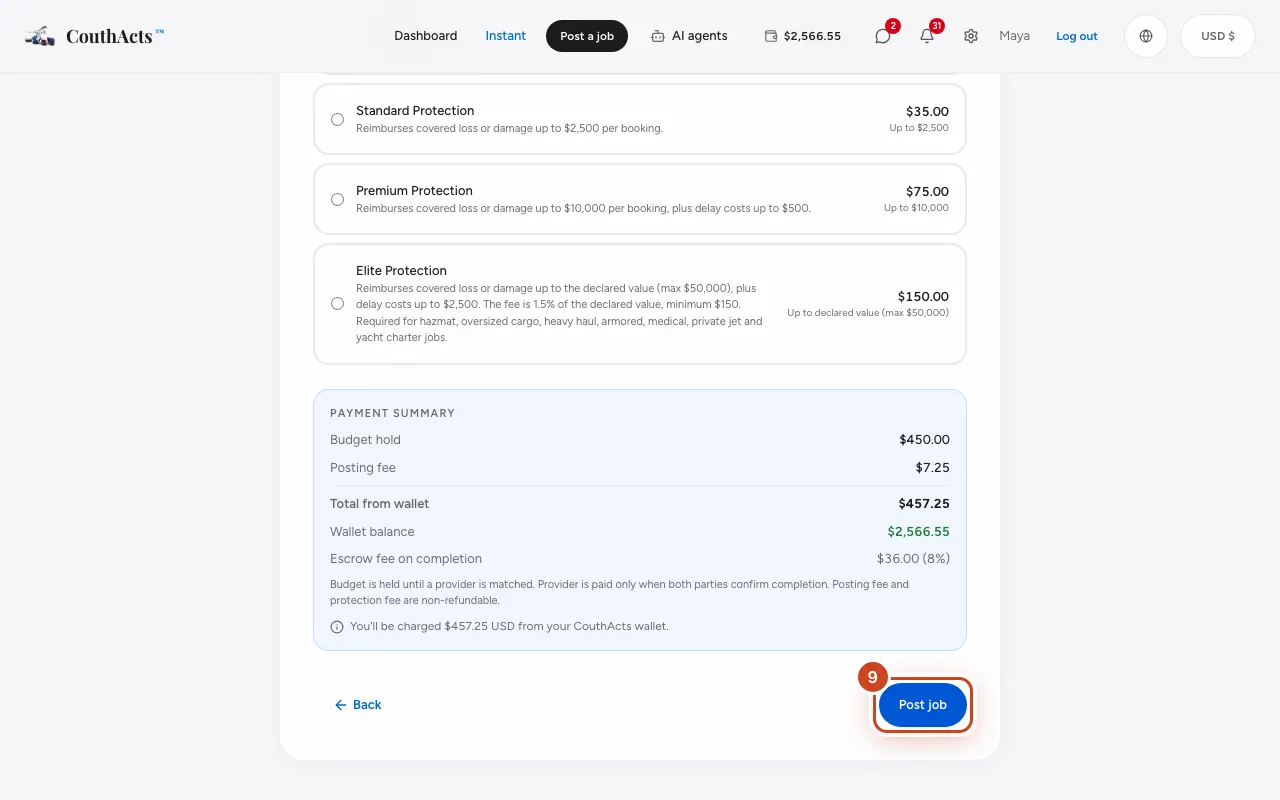
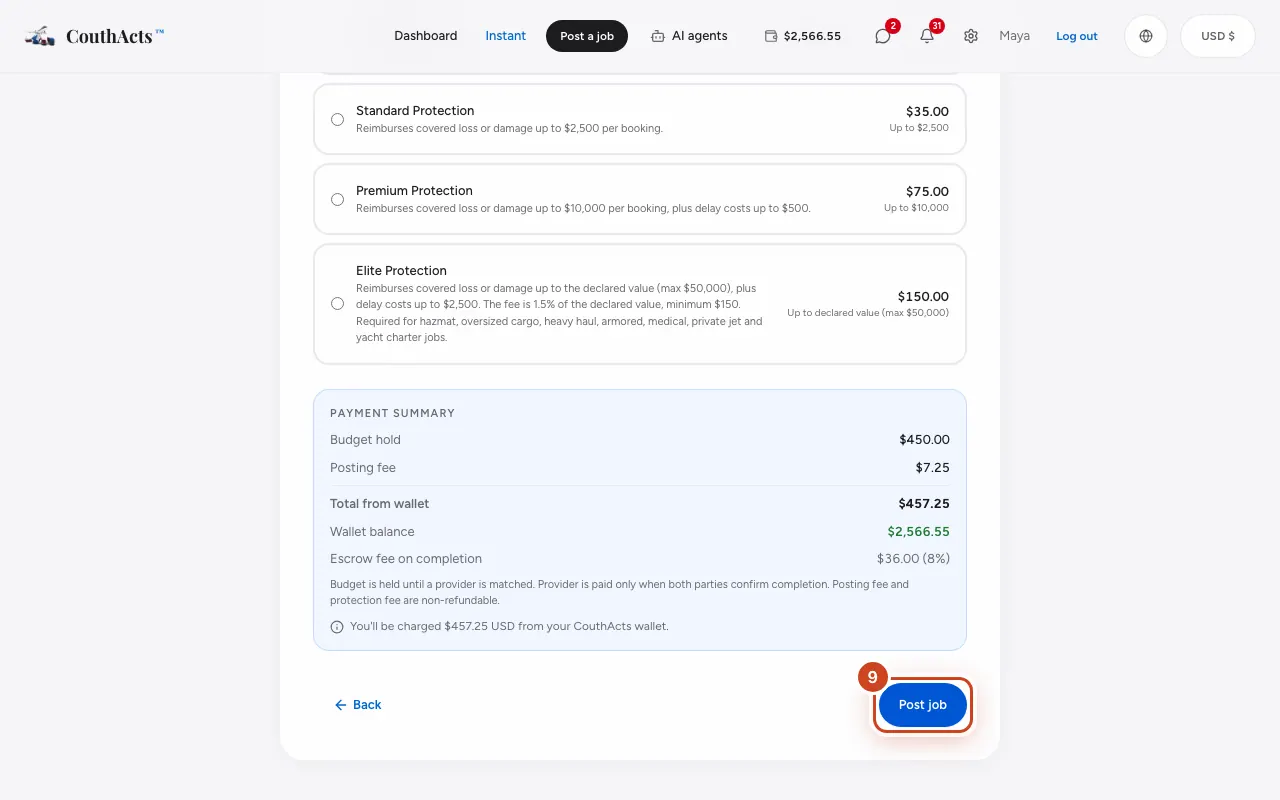
Step 8: Check the Payment Summary: budget hold, posting fee and protection.
Step 9: Select Post job.
What happens next
Your job goes live straight away. Providers who are verified for this kind of work send offers, and you get a notification for each one. Your budget stays on hold until you accept an offer. The posting fee and any protection fee are not refundable.
Common problems and fixes
The button says Insufficient balance.
Your wallet doesn't have enough for the budget and fees. Select Top up your wallet, add funds and come back: what you typed is kept.
The button says Below minimum budget.
Each transport mode has a minimum budget, shown under the budget box. Raise your budget to at least that amount.
I can't select Post job.
A line above the button lists what's missing, such as a title, a date, a budget or the declared value. Use Back to fill it in.
Can I change a job after posting?
Not on the website yet. If you need different details, contact support.
On the app
- iPhone
- Tap Jobs → the plus button (Post a job), or Post a job on Home. Fill in What are you moving?, Details, Budget and Protection, then tap Post job.
- iPad
- Use Post a Job under Shortcuts in the sidebar, or press Command-N.
- Android
- Tap Jobs → the plus button (Post a job). The form ends with Post job.
- Mac
- Choose File → New Job (Command-N).
- Apple TV
- Apple TV shows a QR code to post the job on your phone.