Download a copy of your data
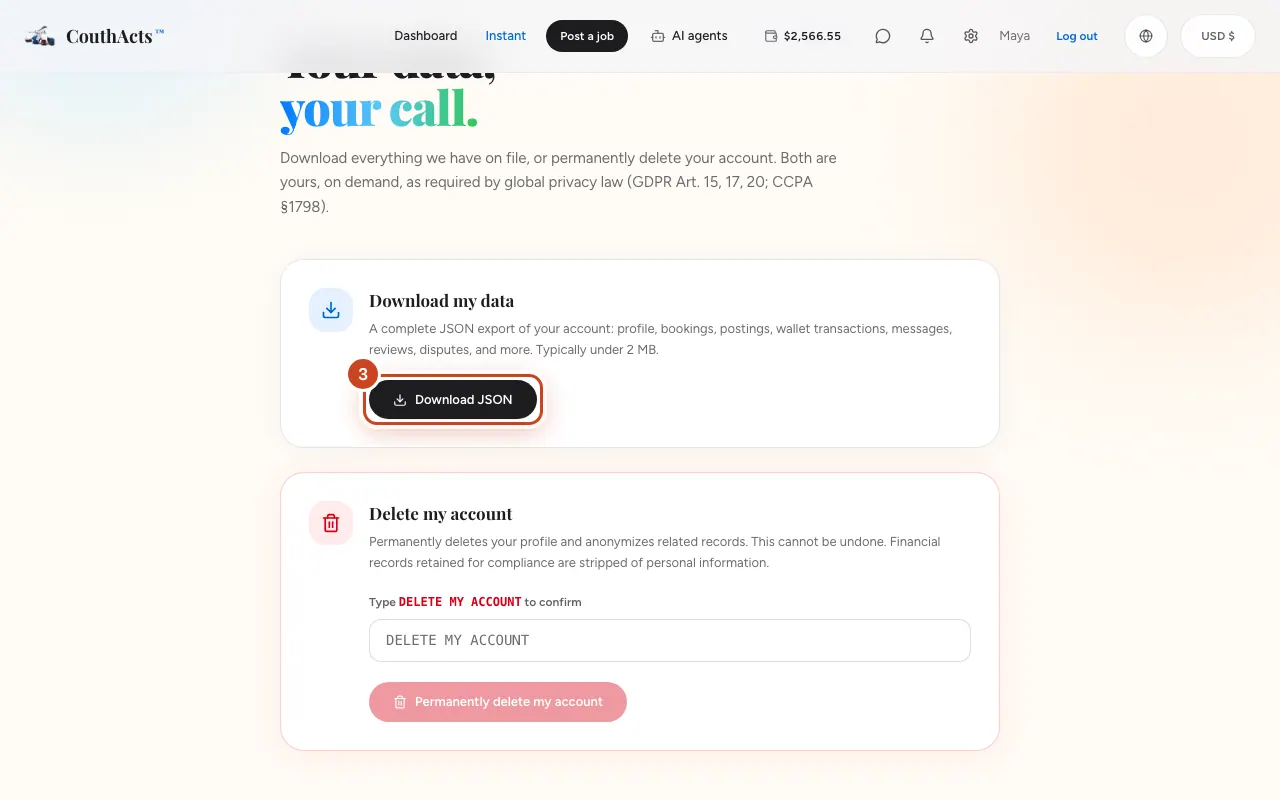
Get a complete JSON export of your account: profile, bookings, postings, wallet transactions, messages, reviews and disputes.
- Who it's for
- Customers and providers.
- What you need first
- Nothing.
- Time needed
- About 1 minute
Steps
Screenshots show the website with demo data. The CouthActs apps work the same way; differences are under “On the app”.
Step 1: Open Settings and go to Your data.
Step 2: Select Manage privacy & data.
Step 3: Under Download my data, select Download JSON.
Step 4: Save the file when your browser asks.
What happens next
The file is usually under 2 MB. You get an email to say your data was downloaded, so you'd know if someone else did it.
Common problems and fixes
The export failed.
Try again, or email privacy@couthacts.com.
Can I do this in the app?
Data export is on the website.