Delete your account
Permanently delete your account and personal data, on the website, in the app, or by asking us if you can't sign in.
- Who it's for
- Customers and providers.
- What you need first
- No active bookings, held payments, open disputes or unpaid Advance.
- A decision about your wallet balance: refund unused top-ups or give the balance up.
- Time needed
- About 3 minutes
Steps
Screenshots show the website with demo data. The CouthActs apps work the same way; differences are under “On the app”.
Step 1: Open Settings → Your data → Manage privacy & data.
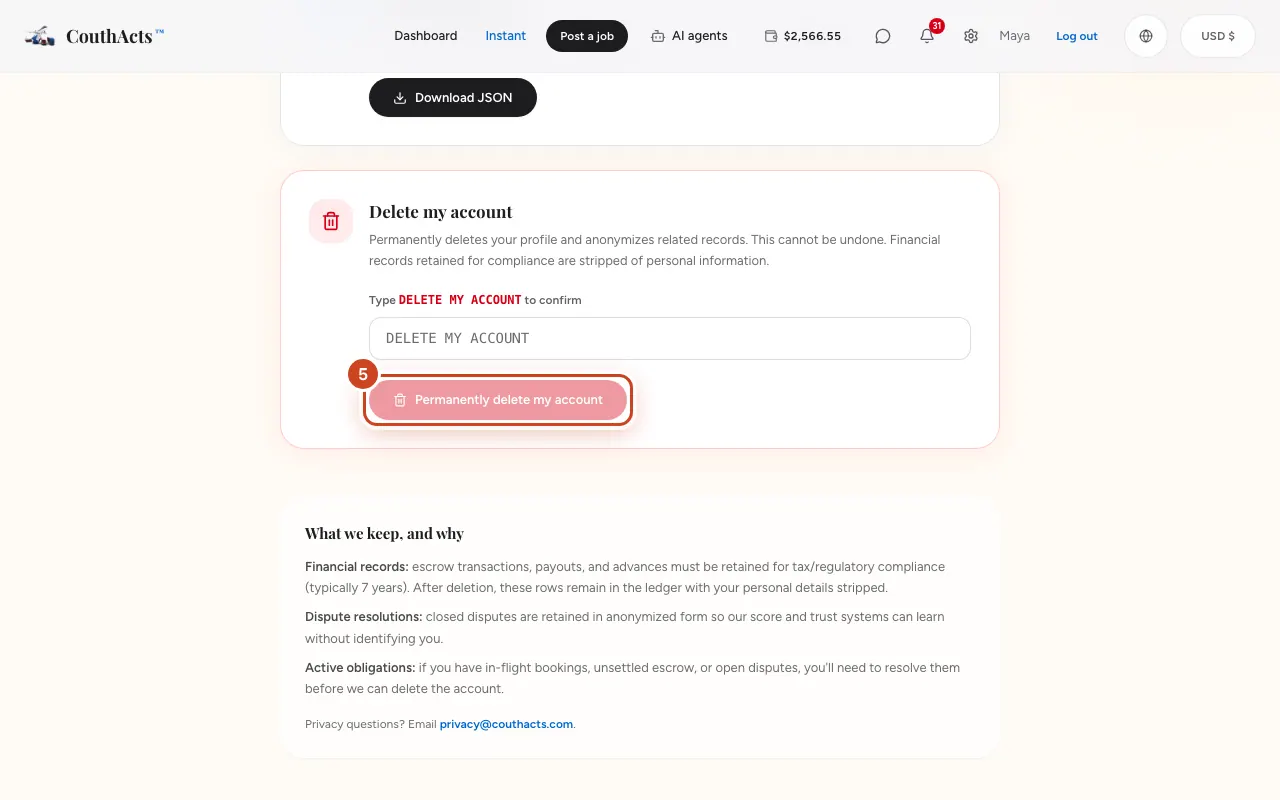
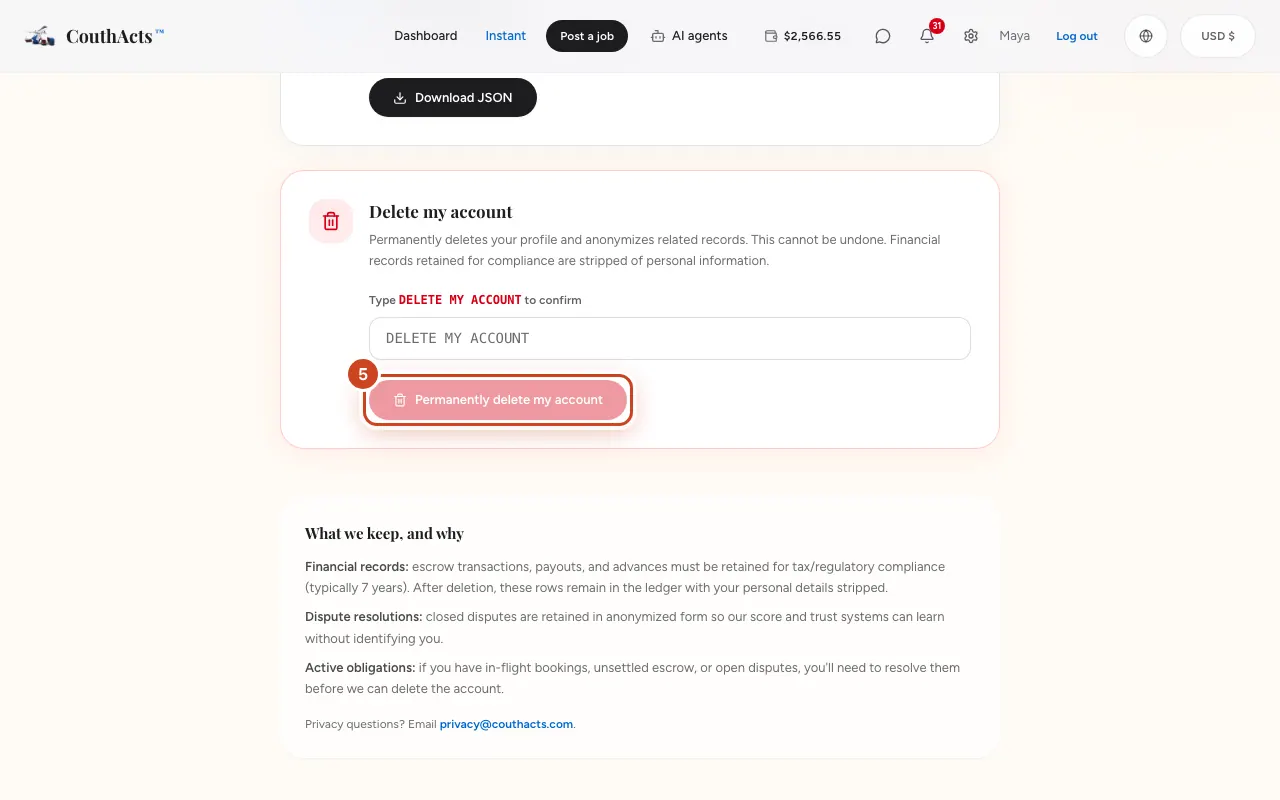
Step 2: Under Delete my account, read what is deleted and kept.
Step 3: If you have a balance, choose Refund … of unused top-up funds to me or give it up.
Step 4: Type DELETE MY ACCOUNT in the box.
Step 5: Select Permanently delete my account.
What happens next
Your profile is deleted and you're signed out. Payment records are kept without your name, as tax and financial law requires, and completed bookings and reviews show as by “Deleted User”. Unused top-up funds are refunded to your original payment method where possible, within 30 days.
Common problems and fixes
It says I have active bookings or holds.
Finish or cancel them, wait for disputes to close, then try again.
I can't sign in.
Use the request form on Delete your account. We email the address on the account to confirm before deleting.
On the app
- iPhone
- Go to Account → Delete account, choose what happens to your balance and type DELETE to confirm.
- Android
- Go to Account → Delete account, choose what happens to your balance and type DELETE to confirm.
- Mac
- Use Account in the sidebar → Delete account.
- Apple TV
- Go to Account → Delete my account and type DELETE.