Set up CouthActs for a government agency or NGO
Federal, state, local and humanitarian organizations get a signed audit trail for every job and help with procurement.
- Who it's for
- Government agencies and NGOs.
- What you need first
- Your organization's annual transport spend and procurement requirements.
- Time needed
- About 3 minutes
Steps
Screenshots show the website with demo data. The CouthActs apps work the same way; differences are under “On the app”.
Step 1: Go to Government.
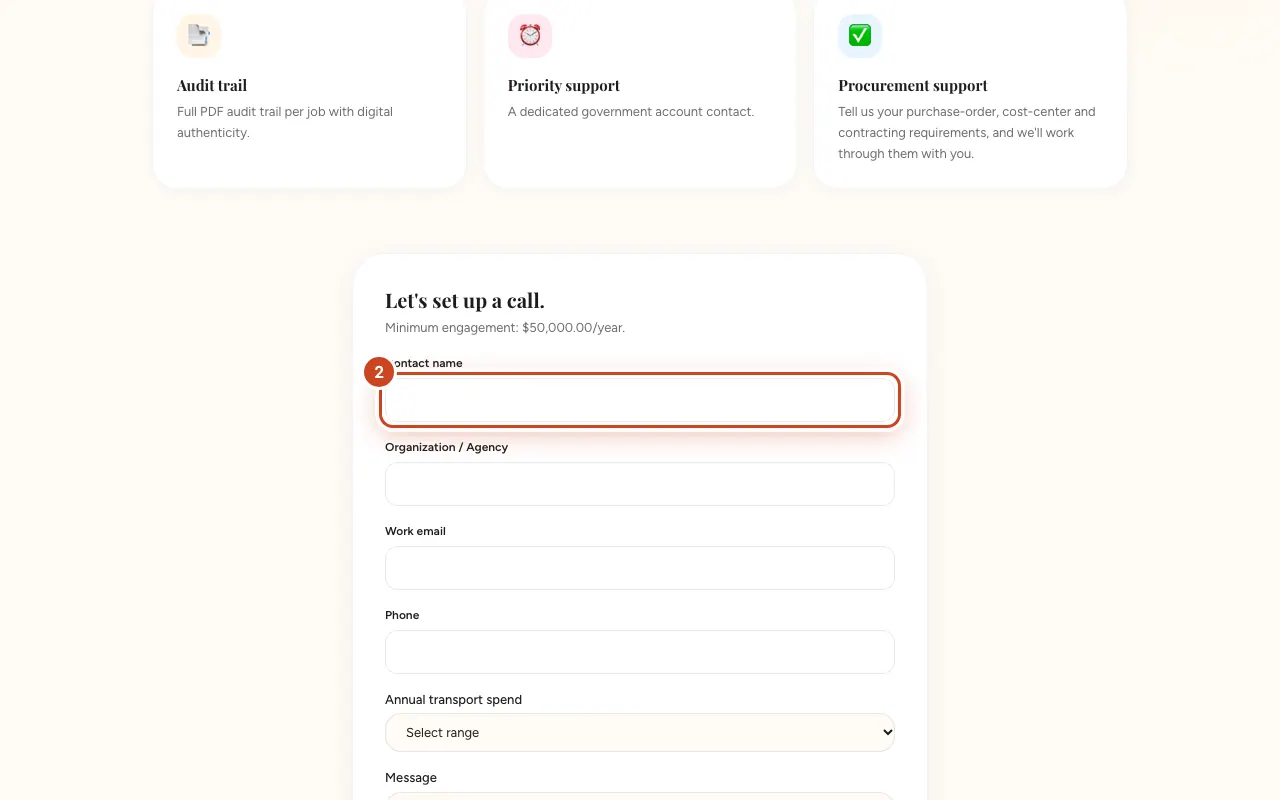
Step 2: Fill in Contact name, Organization / Agency and Work email.
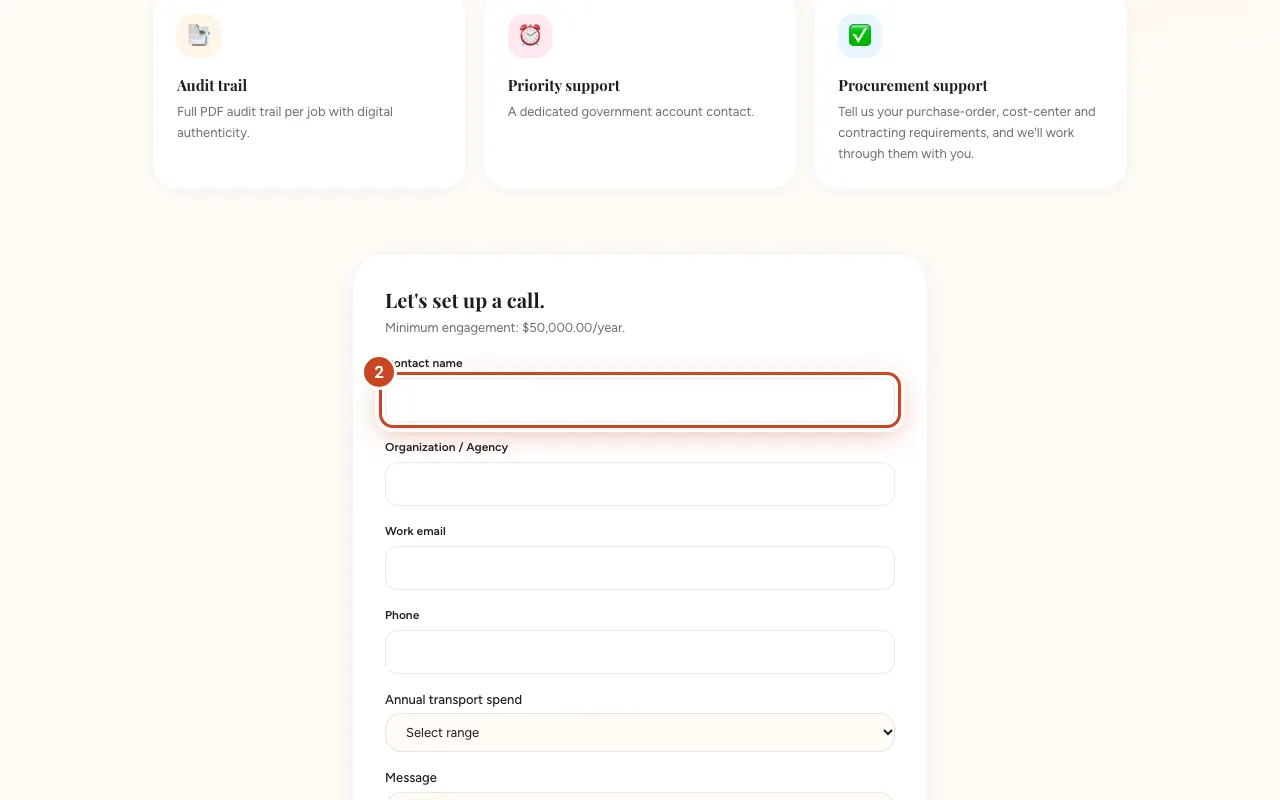
Step 3: Choose your Annual transport spend.
Step 4: Describe your requirements in Message.
Step 5: Select Submit inquiry.
What happens next
The government team aims to reply within 3 business days. Every job's chain of custody gives you a signed, tamper-evident audit record. See Get the chain of custody certificate.
Common problems and fixes
We need purchase orders and cost centres.
Mention them in your message; the team works through procurement requirements with you.