Reset a forgotten password
Get an email link and choose a new password.
- Who it's for
- Anyone who can't remember their password.
- What you need first
- Access to the email inbox on your account.
- Time needed
- About 3 minutes
Steps
Screenshots show the website with demo data. The CouthActs apps work the same way; differences are under “On the app”.
Step 1: On the sign-in page, select Forgot password?.
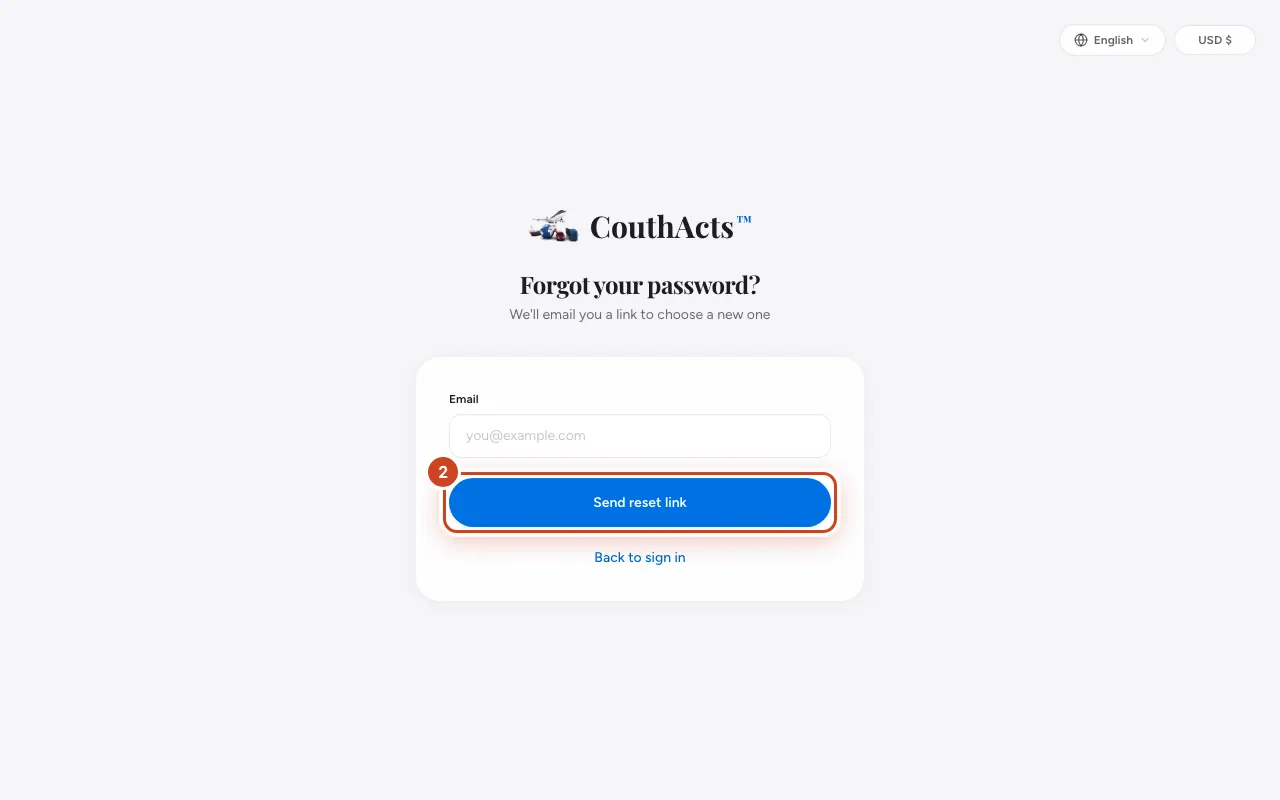
Step 2: Type your Email and select Send reset link.
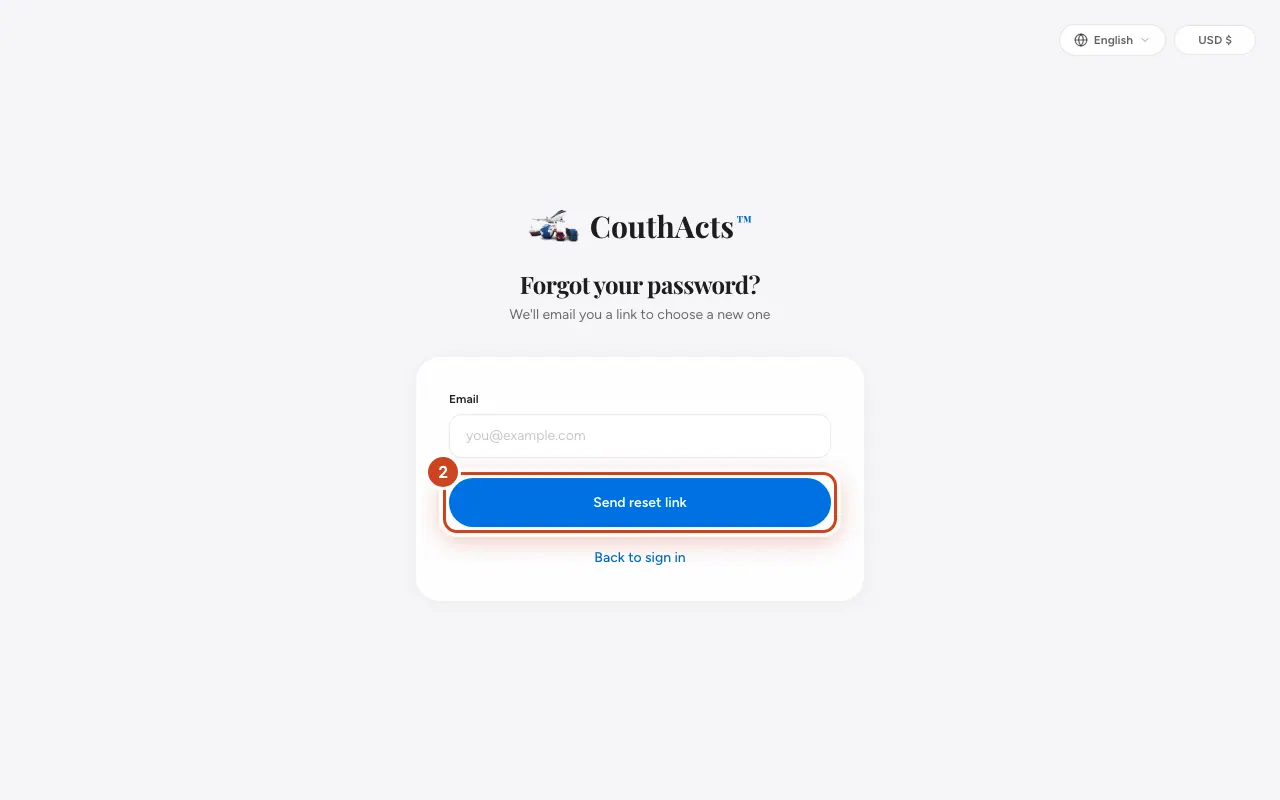
Step 3: Open the email from CouthActs and select the link. It works for 1 hour.
Step 4: Type your New password twice.
Step 5: Select Change password, then sign in with the new password.
What happens next
For your security you're signed out everywhere, on every device. Sign in again where you need to.
Common problems and fixes
The email didn't arrive.
Check spam and promotions folders, and make sure you typed the email on your account. You can request another link.
The link says it's invalid or expired.
Links expire after 1 hour or once used. Request a new one.
On the app
- iPhone
- On the sign-in screen tap Forgot password? and then Send reset link. You finish the reset from the email link.
- Android
- On the sign-in screen tap Forgot password? and then Send reset link.