Cancel a job or a booking
Cancel a booking before the provider starts, and get your held money back in your wallet.
- Who it's for
- Customers. Providers can cancel a booking too, before they start.
- What you need first
- The booking must not have started yet.
- Time needed
- About 1 minute
Steps
Screenshots show the website with demo data. The CouthActs apps work the same way; differences are under “On the app”.
Step 1: Open your dashboard and select the booking.
Step 2: Scroll to Confirm Completion.
Step 3: Select Cancel booking.
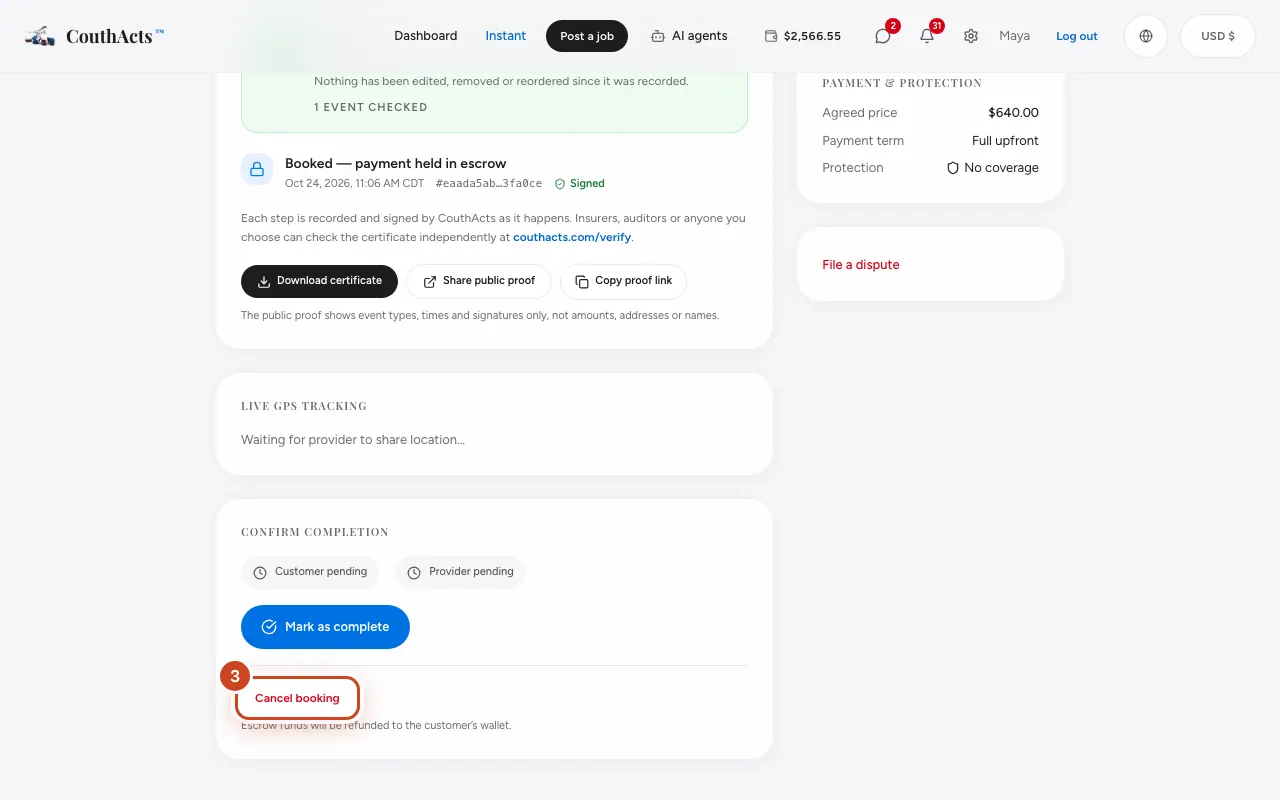
Step 4: Confirm that you want to cancel.
What happens next
The money held for the booking goes back to your wallet straight away. The posting fee and any protection fee are not refunded.
Common problems and fixes
There's no Cancel button.
Once a job has started it can't be cancelled. If the provider hasn't done the work, open a dispute.
How do I cancel a job nobody has booked yet?
Jobs that aren't booked expire on their own and the budget returns to your wallet. To end one sooner, contact support, or ask a connected AI assistant with the “Post & cancel jobs” permission.
On the app
- iPhone
- Open the booking in Bookings and tap Cancel booking.
- Android
- Open the booking in Bookings and tap Cancel booking.
- Apple TV
- Open the booking and select Cancel booking.