Deliver and confirm with the customer's PIN
At handover, enter the customer's 6-digit delivery PIN. It proves the handover and starts your payment's release.
- Who it's for
- Providers.
- What you need first
- A job in progress.
- The customer (or the person receiving) with their delivery PIN.
- Time needed
- About 1 minute
- Post the job
- Verified providers bid
- Accept a bid
- Money held in escrow
- Pickup starts
- Check-ins signed on the way
- Delivery confirmed with PIN
- 24-hour hold
- Payout and review
Steps
Screenshots show the website with demo data. The CouthActs apps work the same way; differences are under “On the app”.
Step 1: Hand over the goods or finish the trip.
Step 2: Ask the customer for their delivery PIN.
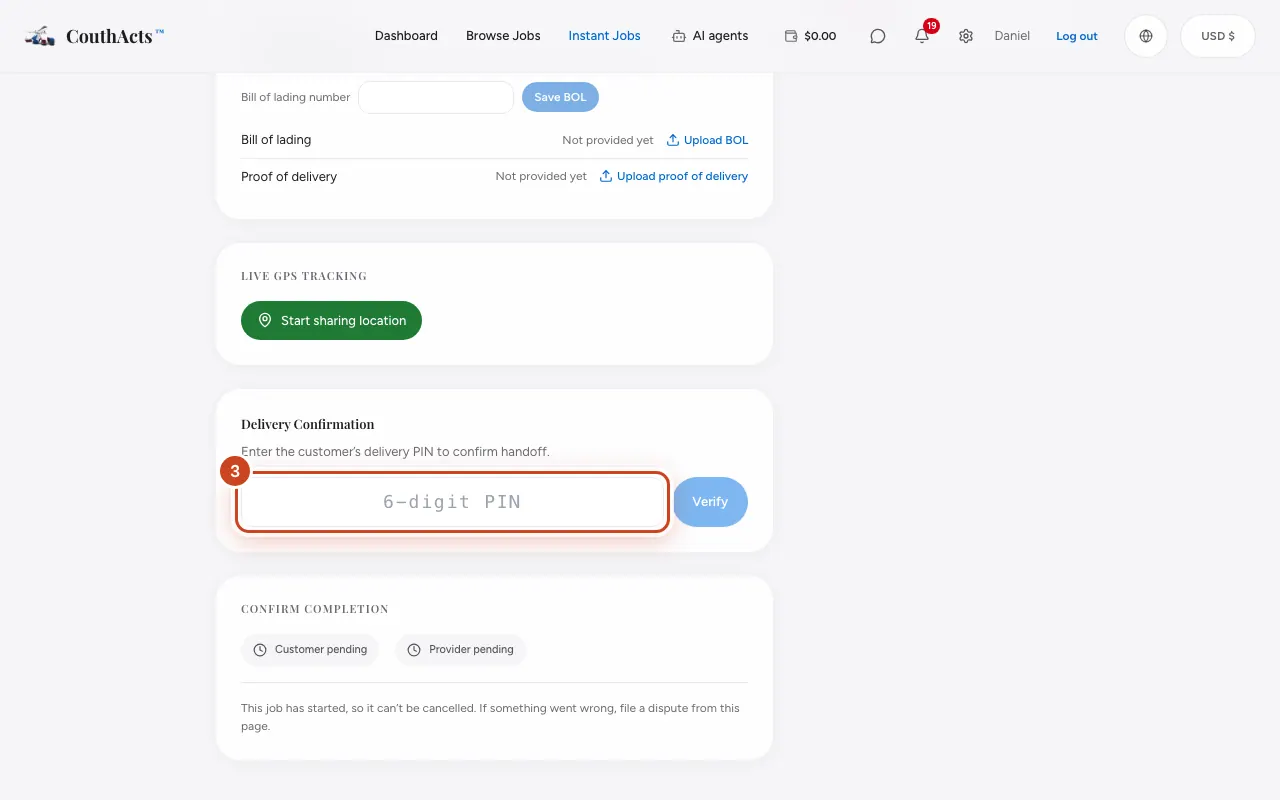
Step 3: Open the booking. Under Delivery Confirmation, type the PIN.
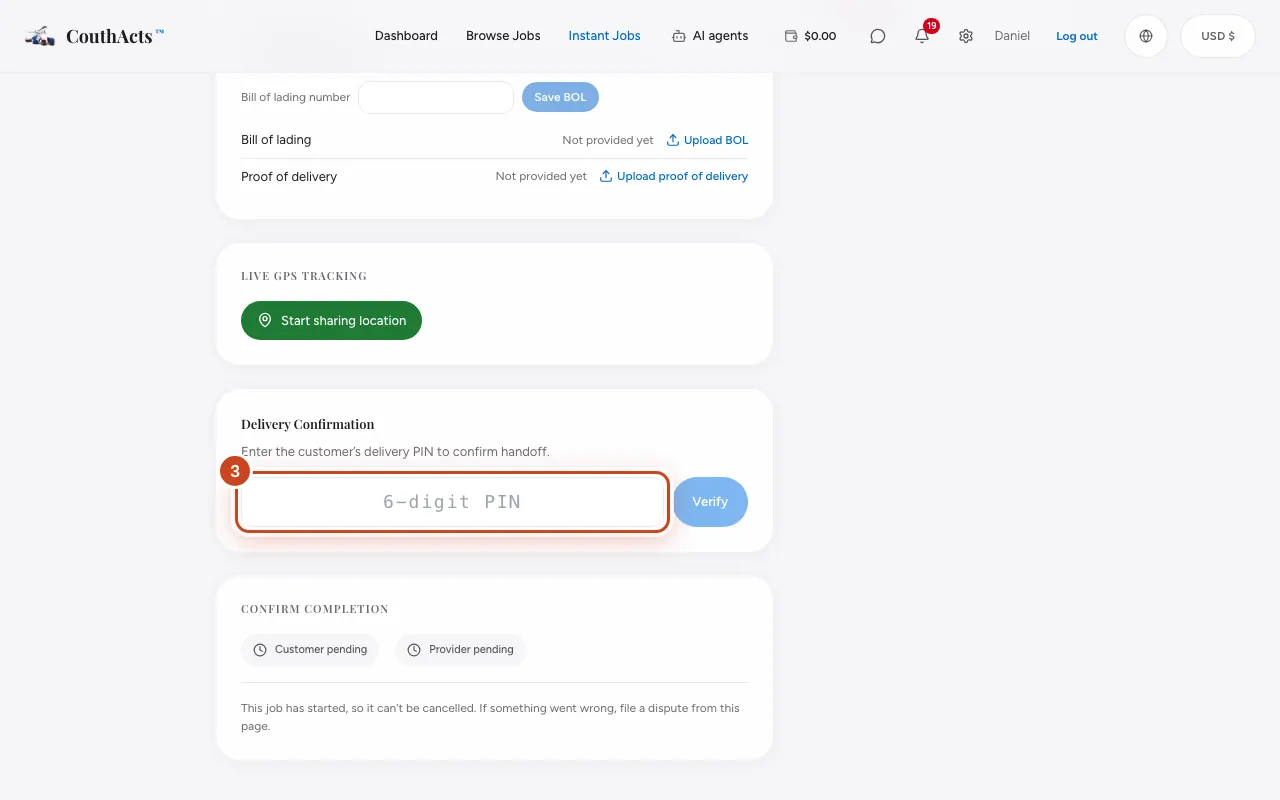
Step 4: Select Verify.
Step 5: Add a delivery photo under Photo check-ins if it helps.
What happens next
The handover is verified and signed into the chain of custody. Once the customer confirms too, the payment is held for 24 hours and then released to your wallet, less the CouthActs fee. If the customer doesn't respond within 72 hours of a verified PIN handover, CouthActs may review and release it.
Common problems and fixes
It says the PIN is incorrect.
Check the 6 digits with the customer and try again.
The customer won't give the PIN.
They may have a problem with the delivery. Talk it through in the chat, or contact support.
On the app
- iPhone
- In the booking, type the delivery PIN and confirm.
- Android
- In the booking, type the delivery PIN and confirm.
- Apple TV
- Apple TV can confirm delivery with the PIN too.