Create your account
Sign up for free in about a minute, then add a profile photo so you can use every feature.
- Who it's for
- Customers who want something moved. Providers start at Become a provider.
- What you need first
- An email address you can open.
- Your name exactly as it appears on your government ID.
- Time needed
- About 2 minutes
Steps
Screenshots show the website with demo data. The CouthActs apps work the same way; differences are under “On the app”.
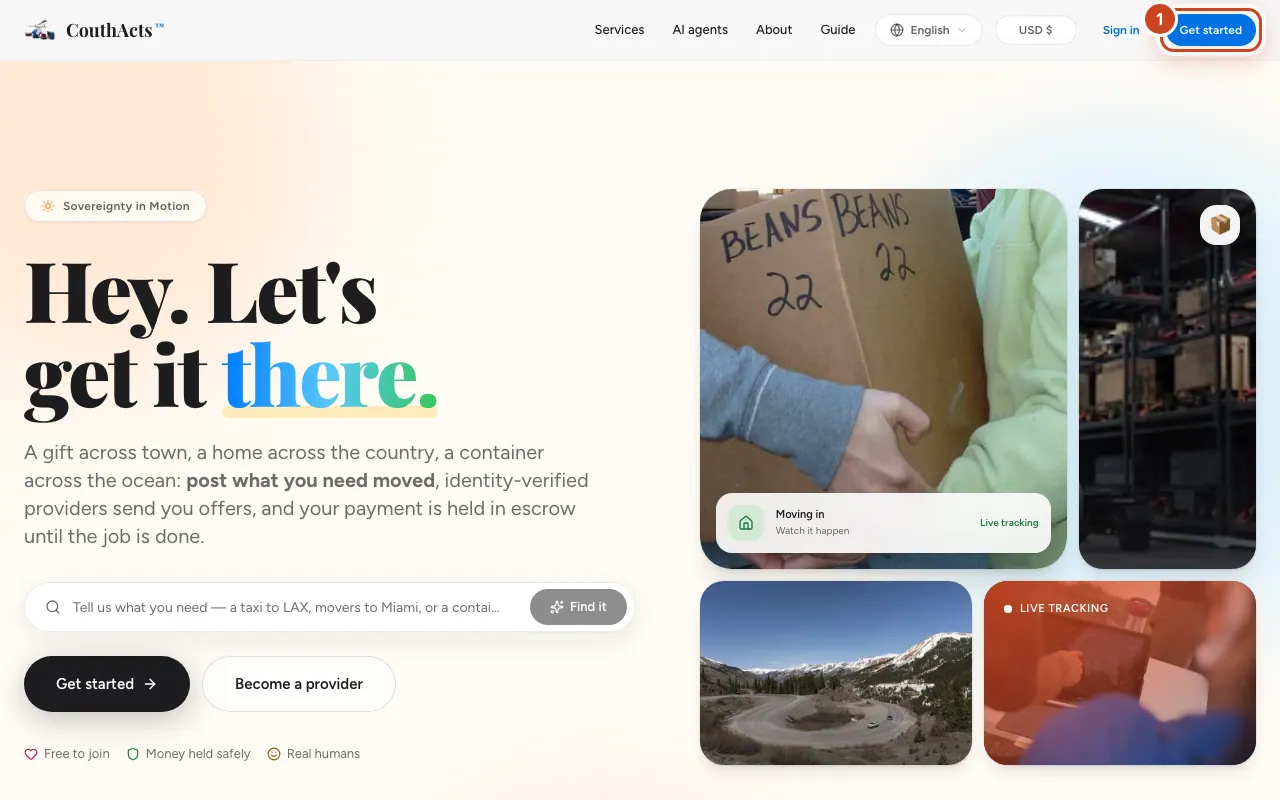
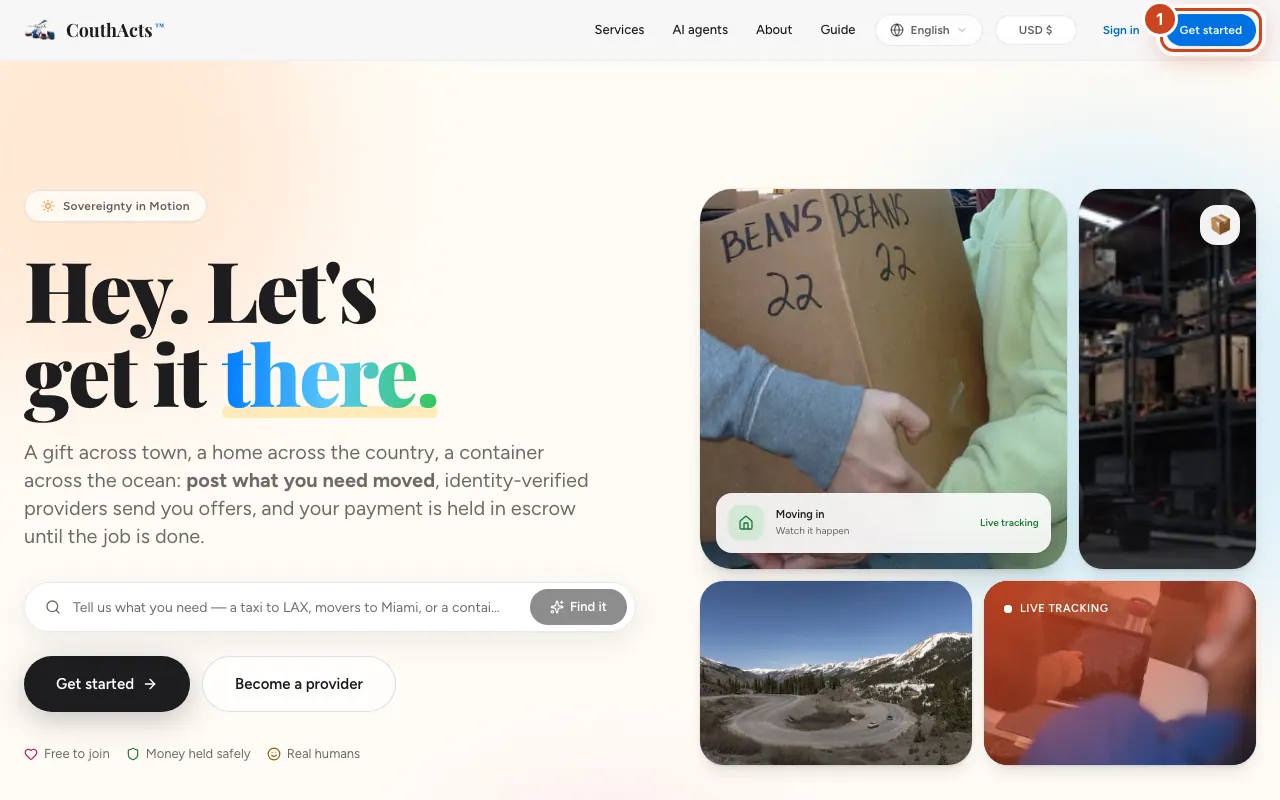
Step 1: Select Get started at the top of any page.
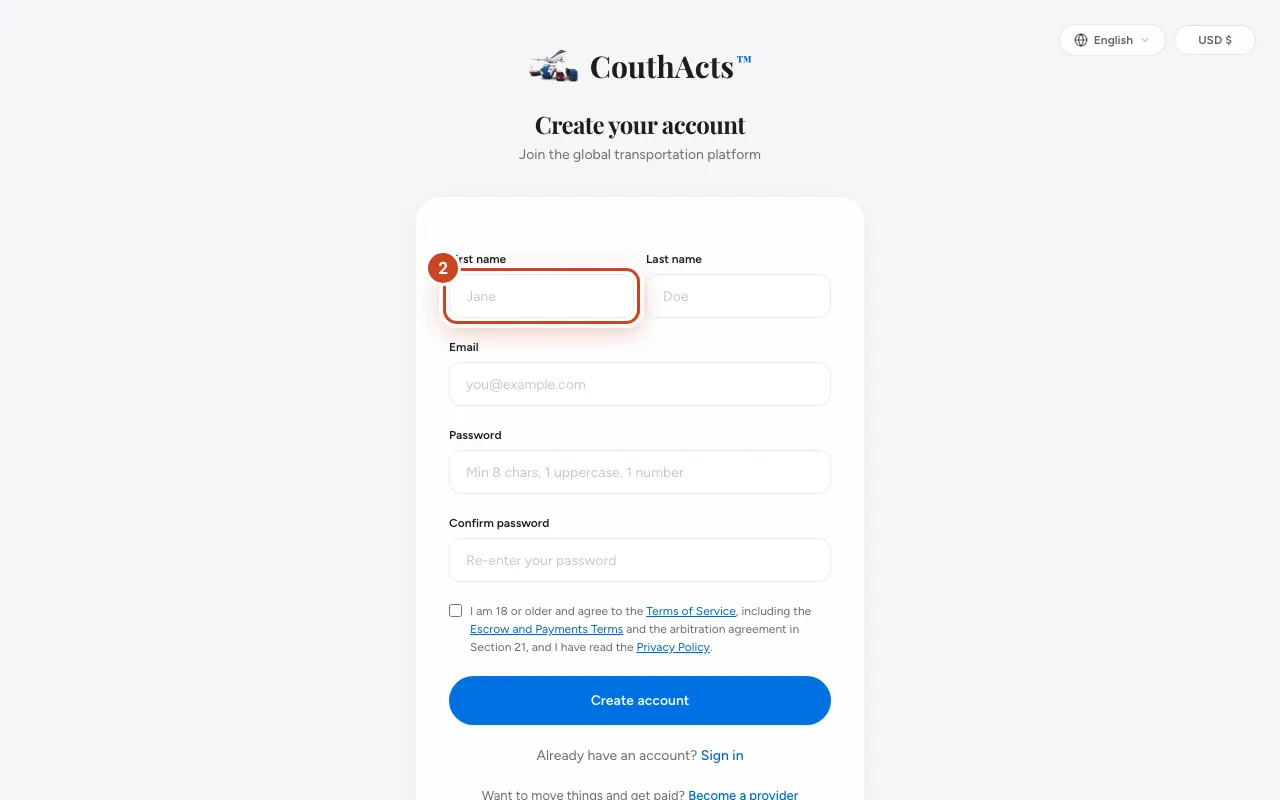
Step 2: Type your First name and Last name exactly as they appear on your ID.
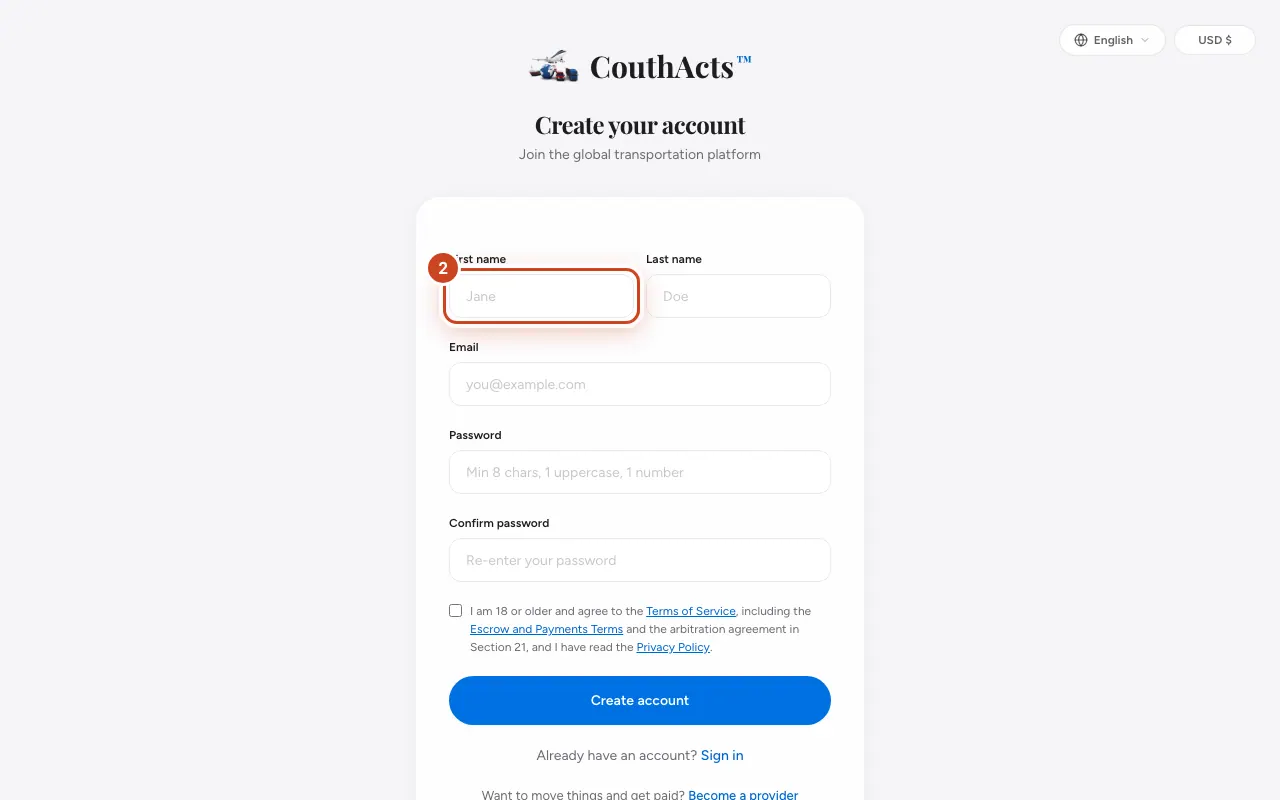
Step 3: Type your Email.
Step 4: Choose a Password with at least 8 characters, an uppercase letter and a number, then type it again in Confirm password.
Step 5: Tick the box to confirm you are 18 or older and agree to the Terms.
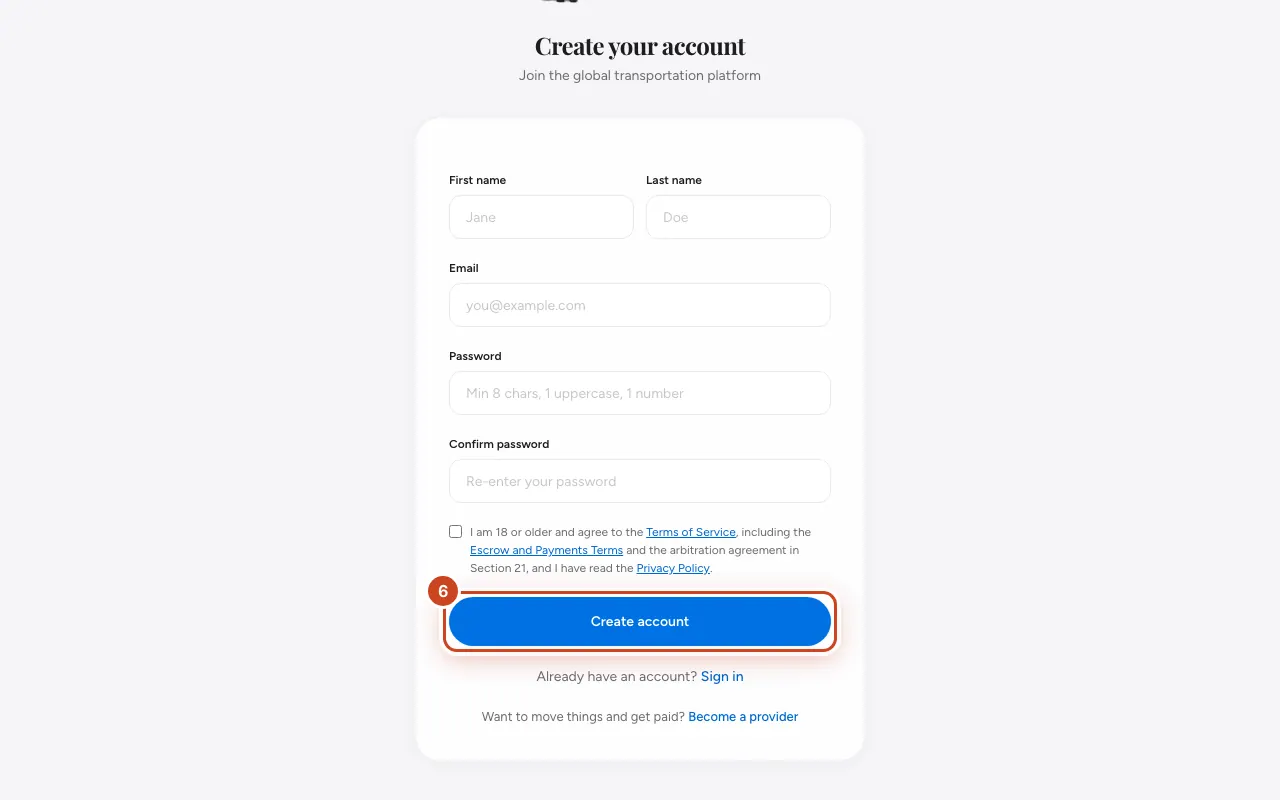
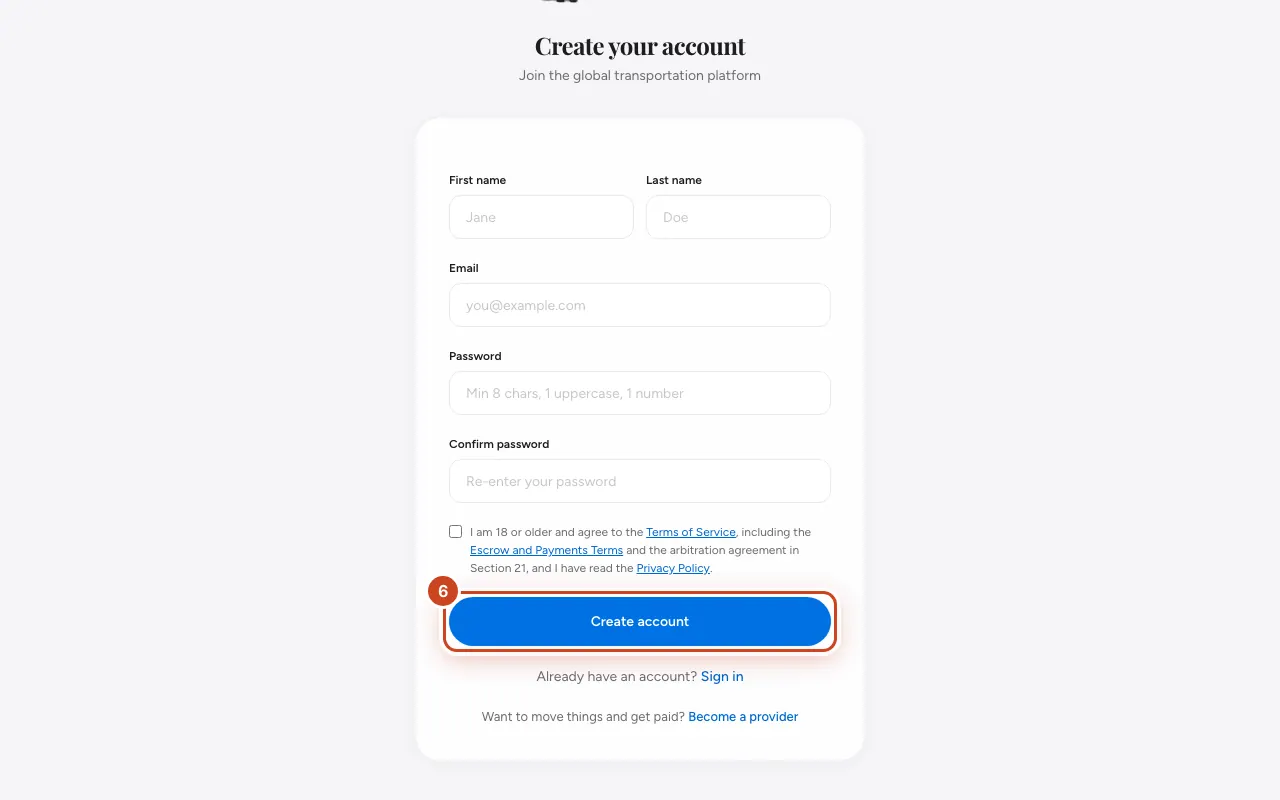
Step 6: Select Create account.
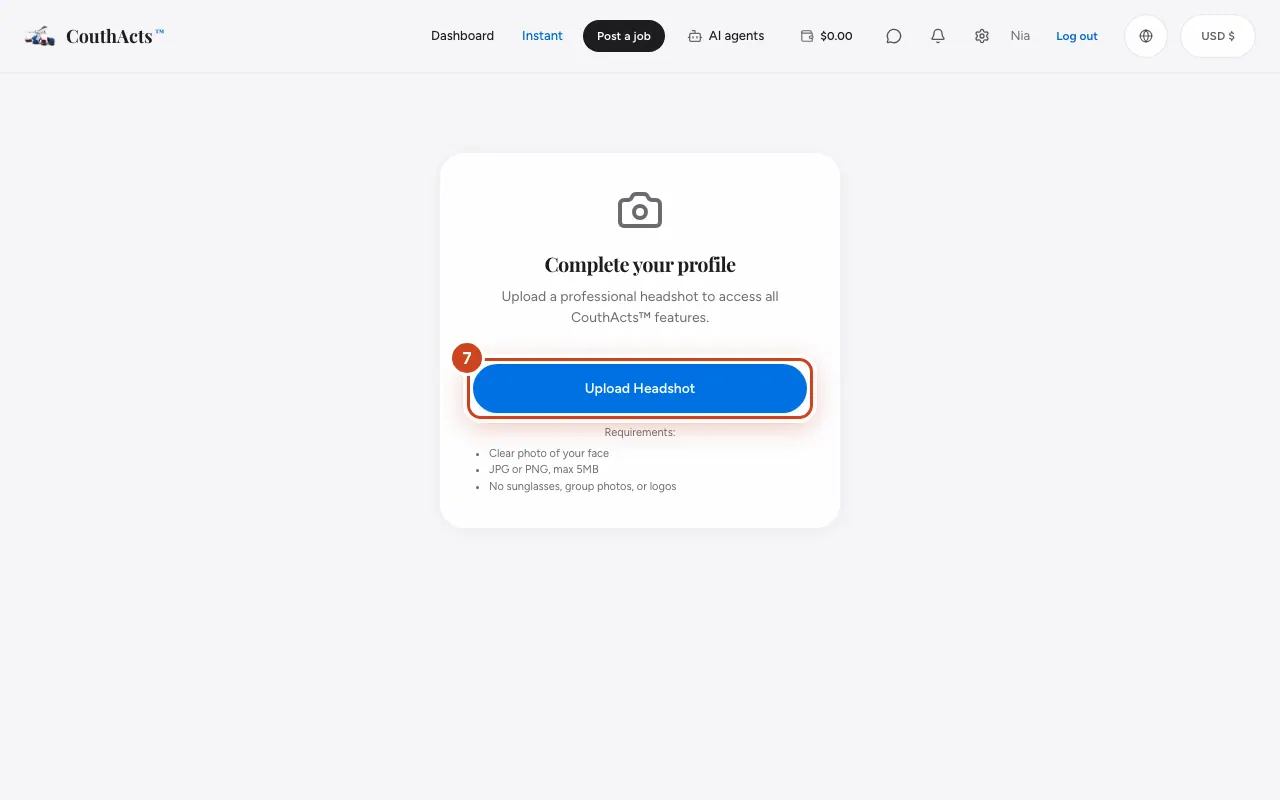
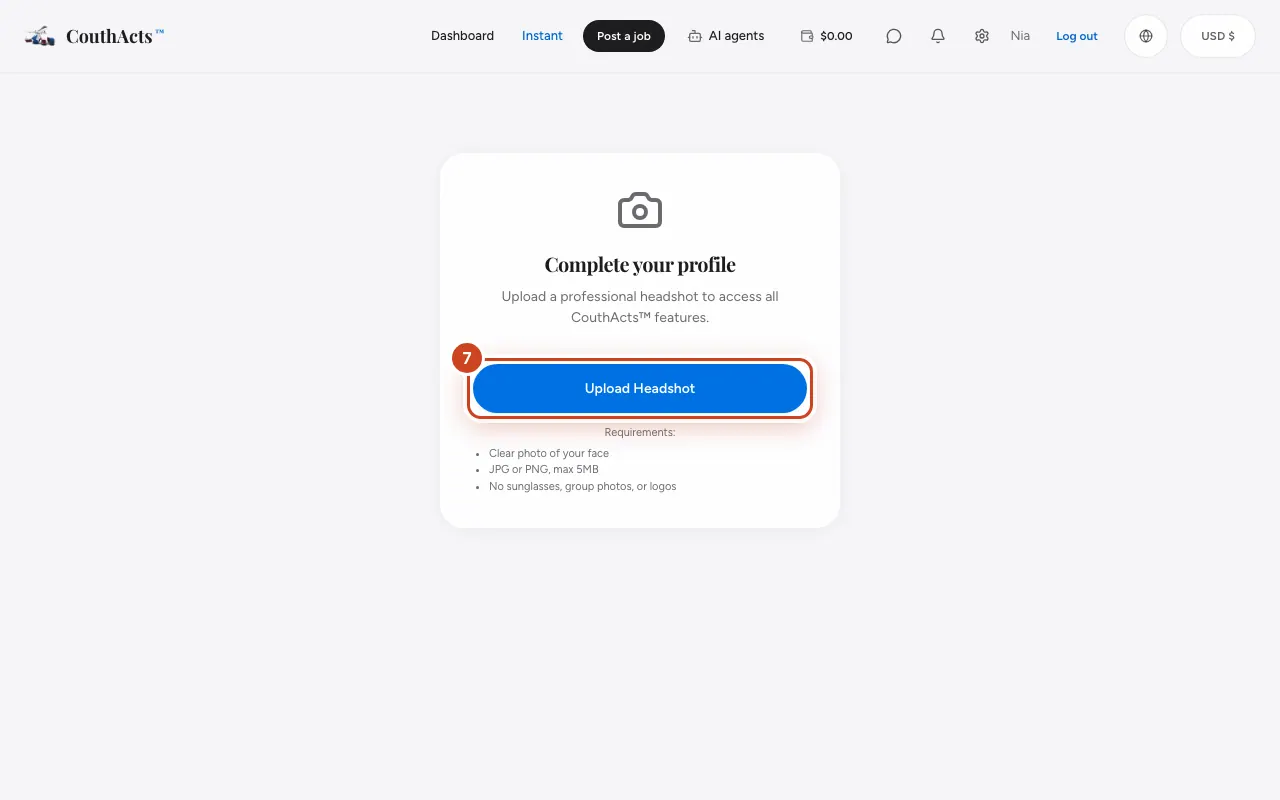
Step 7: On Complete your profile, select Upload Headshot and choose a clear photo of your face.
What happens next
You land on your dashboard. Next, verify your identity (it's free) so you can post jobs.
Common problems and fixes
It says “Email already in use”.
You already have an account with that email. Select Sign in instead, or reset your password.
My photo won't upload.
Use a JPG or PNG under 5 MB that shows only your face: no sunglasses, group photos or logos.
I typed my name wrong.
Fix it in Settings before you verify your identity. Changing your name after verification means verifying again (still free).
On the app
- iPhone
- On the welcome screen tap Get started, fill in the form, tick the box and tap Create account.
- Android
- On the welcome screen tap Get something moved, fill in the form, tick the box and tap Create account.
- Apple TV
- Apple TV can't create accounts. Scan the QR code with your phone to sign up, then sign in on the TV.