Understand held funds
Money set aside for your jobs isn't part of your available balance. Here's where it is and when it moves.
- Who it's for
- Customers and providers.
- What you need first
- Nothing.
- Time needed
- About 2 minutes
- Card top-up
- Your wallet (USD)
- Budget held + fees
- Agreed price in escrow
- Unused budget back to wallet
- Both sides confirm
- 24-hour hold
- Provider wallet, less fee
- Withdrawn to bank
Steps
Screenshots show the website with demo data. The CouthActs apps work the same way; differences are under “On the app”.
Step 1: Open your wallet.
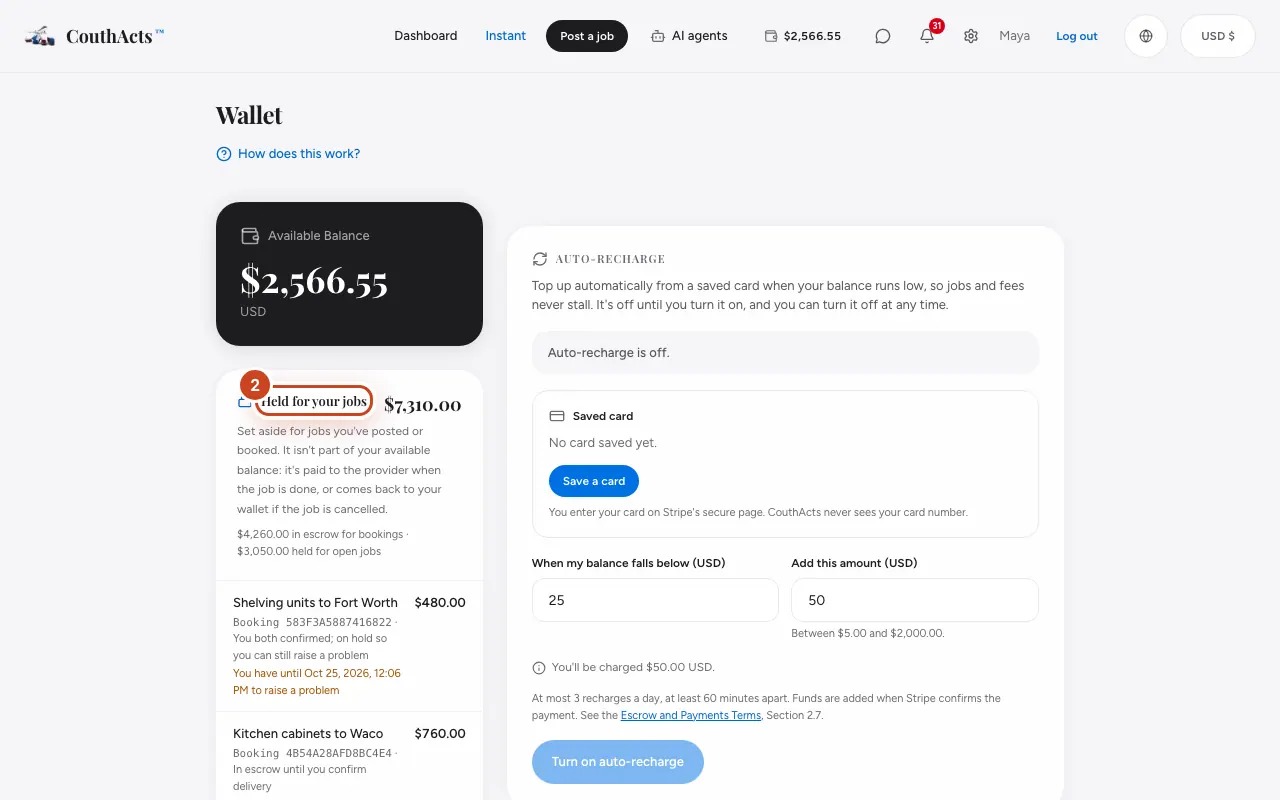
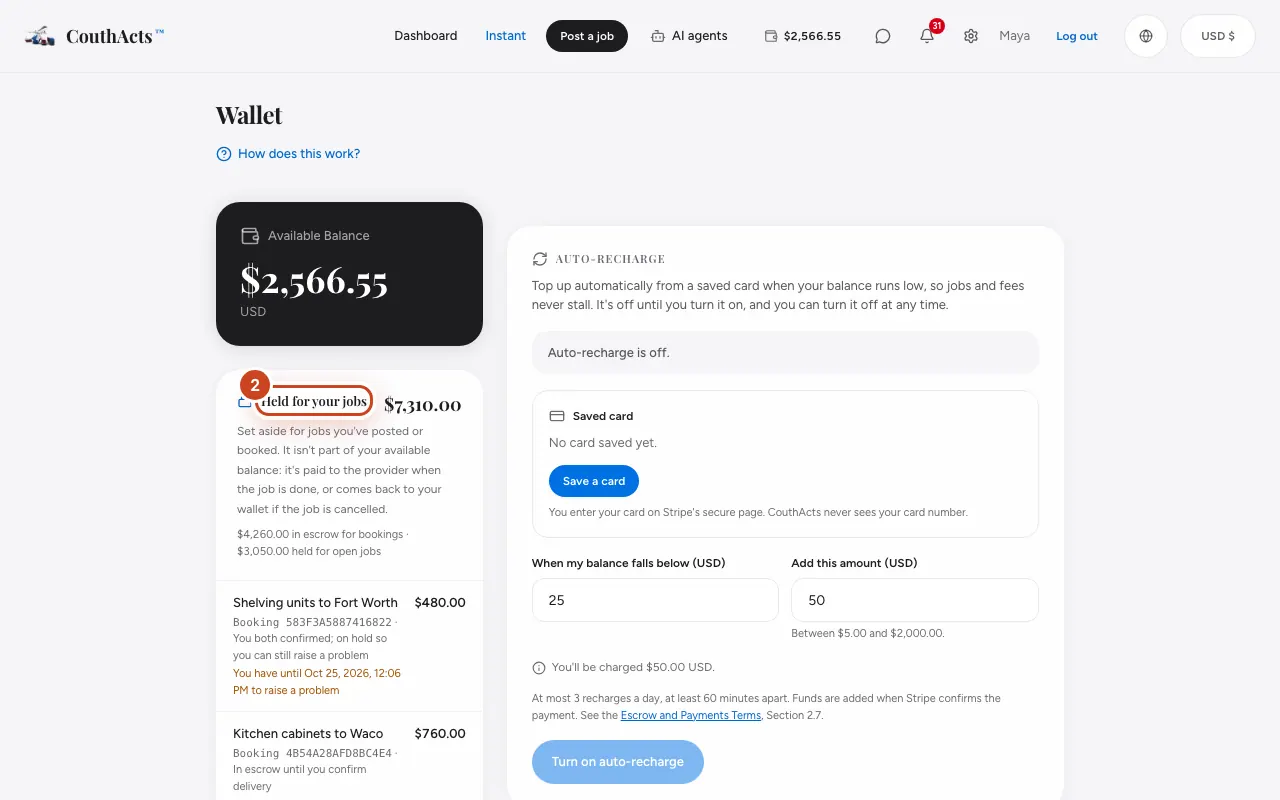
Step 2: Customers: read Held for your jobs. It splits into money in escrow for bookings and budgets held for open jobs.
Step 3: Providers: read Earnings on the way, your earnings after the CouthActs fee.
Step 4: Read the line under each booking: it says when the money will be released or returned.
What happens next
Held money is paid to the provider when the job is done and the 24-hour hold ends, comes back to the customer if a job is cancelled before it starts or expires unbooked, and is frozen while a dispute is reviewed.
Common problems and fixes
Why is my available balance lower than I expected?
Your budgets for open jobs and your bookings' escrow are held separately. They come back if the job is cancelled or expires.
On the app
- iPhone
- In Wallet, see Held for your jobs (customers) or Earnings on the way (providers).
- Android
- In Wallet, see Held for your jobs (customers) or Earnings on the way (providers).