Confirm delivery and release payment
When the job is done, both sides confirm. The payment then waits 24 hours so you can raise a problem, and is released to the provider automatically.
- Who it's for
- Customers.
- What you need first
- The goods delivered, or the trip finished.
- Your delivery PIN.
- Time needed
- About 2 minutes
- Card top-up
- Your wallet (USD)
- Budget held + fees
- Agreed price in escrow
- Unused budget back to wallet
- Both sides confirm
- 24-hour hold
- Provider wallet, less fee
- Withdrawn to bank
Steps
Screenshots show the website with demo data. The CouthActs apps work the same way; differences are under “On the app”.
Step 1: At handover, check everything arrived as agreed.
Step 2: Show the provider your Your Delivery PIN. They type it to confirm the handover.
Step 3: Open the booking and select Mark as complete.
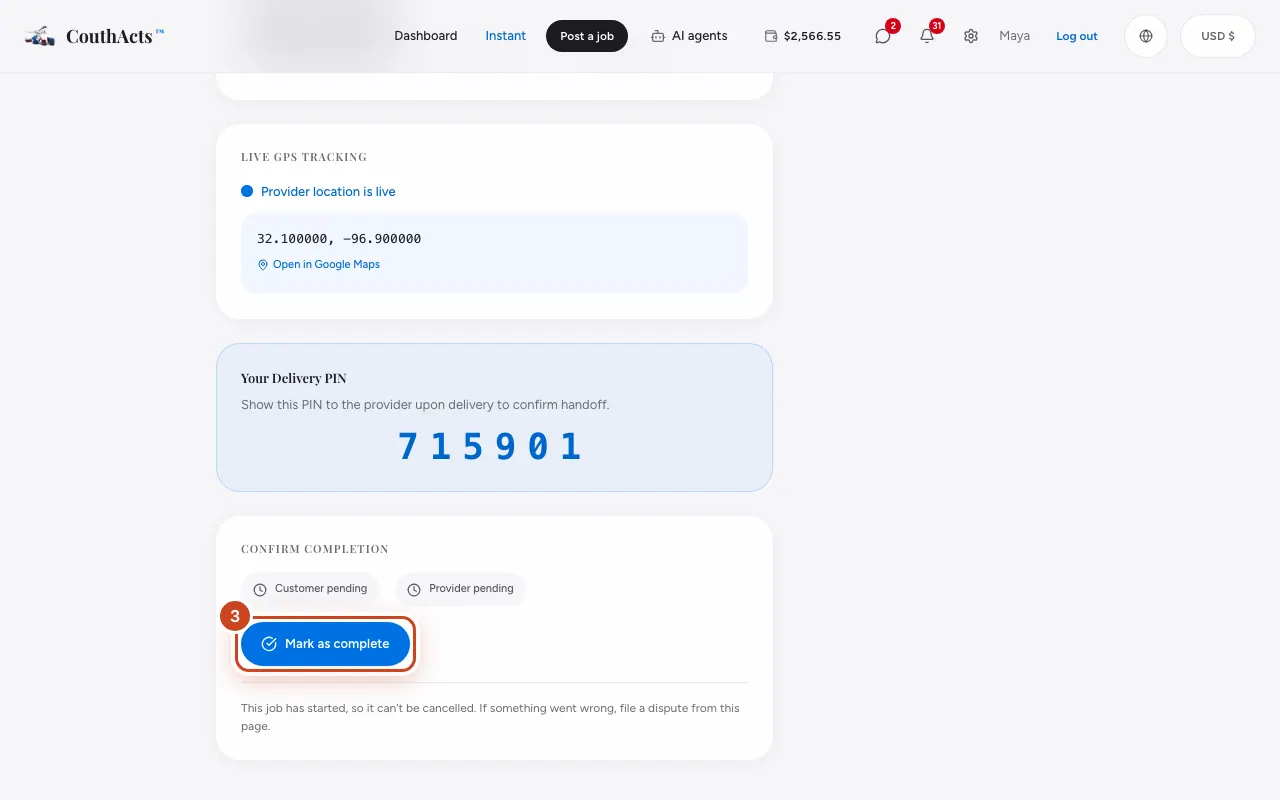
Step 4: Read the message and confirm.
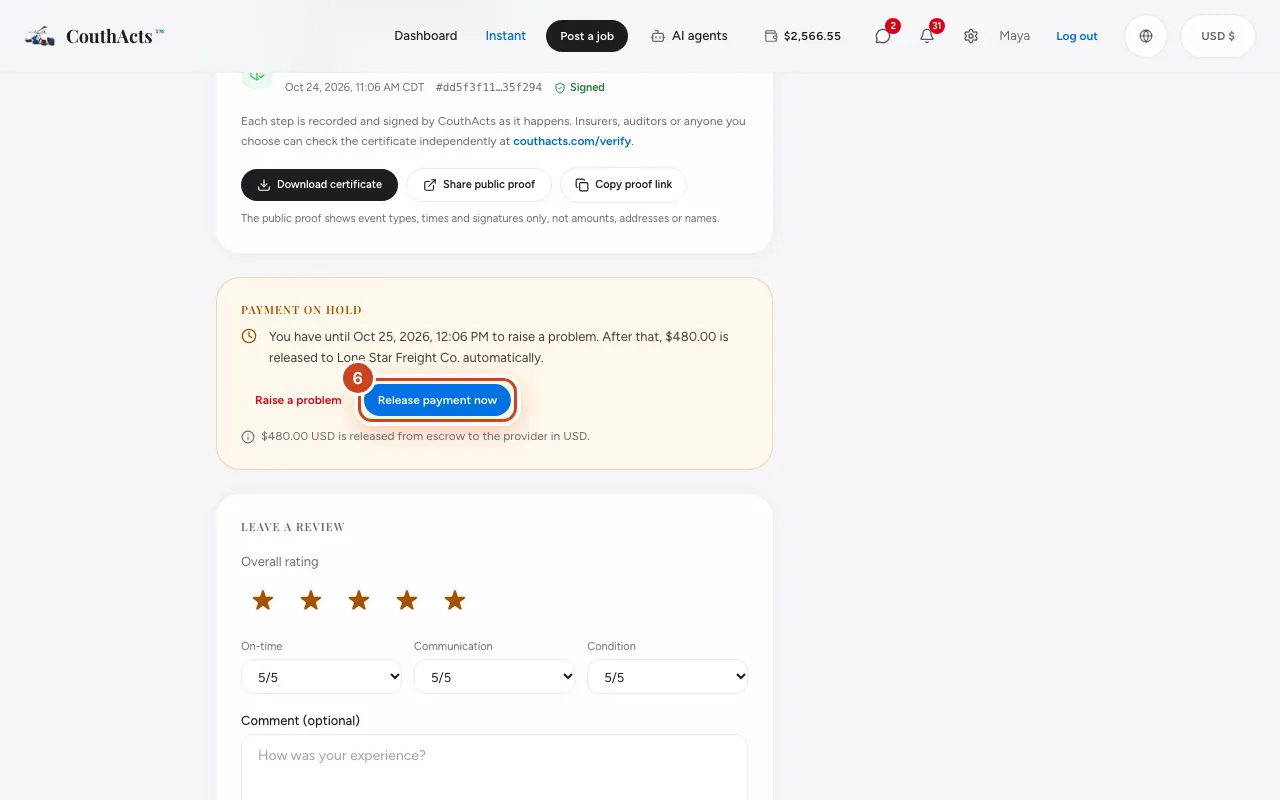
Step 5: Under Payment on hold, see when the payment will be released.
Step 6: If everything is fine and you want to pay sooner, select Release payment now.
What happens next
The payment is released to the provider when the 24-hour hold ends, unless you raise a problem first. If you confirm nothing after a PIN-verified handover, CouthActs may review the booking and release the payment after 72 hours.
Common problems and fixes
Something is wrong with the delivery.
Don't share your PIN if there's visible damage. Select Raise a problem during the hold to open a dispute. See Open a dispute.
I found damage after the payment was released.
A dispute can't be opened after release. If you bought protection, make a Protection claim; otherwise contact support.
Can I undo Release payment now?
No. Releasing pays the provider straight away and can't be undone.
On the app
- iPhone
- In the booking, tap Mark as complete. During the hold you'll see Payment on hold, Raise a problem and Release payment now.
- Android
- In the booking, tap Mark as complete. During the hold you'll see Payment on hold, Raise a problem and Release payment now.
- Apple TV
- Select Confirm job completed. Releasing early or raising a problem opens a QR code to finish on your phone.